What's happening
The next time Steam updates Learn Japanese RPG, you'll be moved to the new Unity version of the game. How do I know if the switch happened? 1 - The game window will be much larger. 2 - The version number in the bottom left corner of the title screen will be 2026-09-05 or later. 3 - On your first launch you'll also see a short message on the title screen confirming that your saves were imported. Kanji Mode Setting One setting doesn't carry over: Kanji Mode.
So you may need to open the main menu, select Dialogue and set Japanese Mode to either:
1 - Hiragana
2 - Kanji and Spaces
3 - Kanji no spaces. 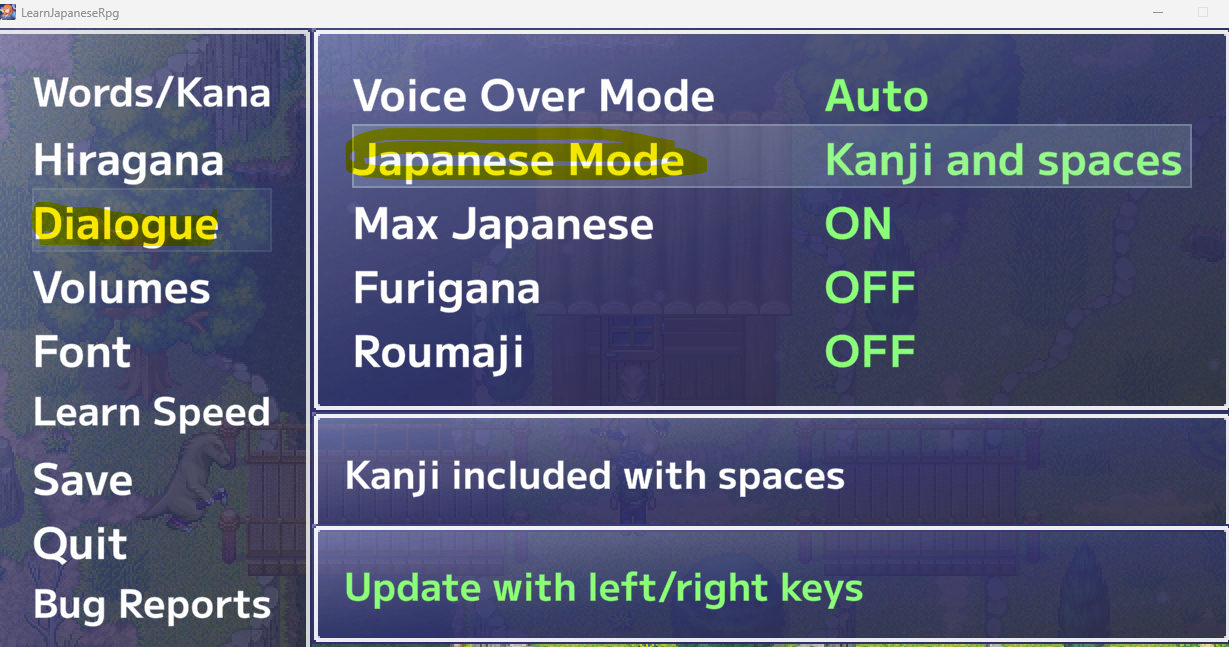
What's new in the Unity version
Higher display resolution for modern monitors (the original engine maxed out at 640×480, resulting in a tiny window on today's screens)
Toggle furigana on/off for kanji
Toggle romaji on/off for Japanese dialogue
Toggle Max Japanese mode on or off at any time
Many other quality of life improvements
Your existing saves
The Unity version automatically imports your existing save files the first time you launch it. You can pick up right where you left off. Your old save games are retained in case you want to switch back to the old version of the game (see below).
How to opt out (go back to old version)
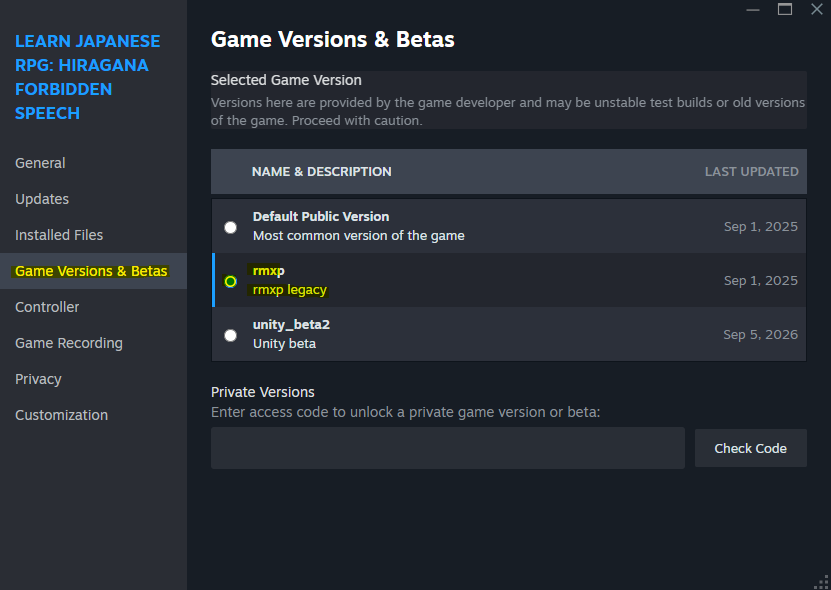
In your Steam Library, right-click Learn Japanese RPG and choose Properties
Select the Game Versions & Betas tab
In the Selected Game Version choose rmxp (see screenshot below)
Steam will download the old version automatically (your saved games should be intact), but progress made in the Unity version stays with the Unity version; the old game can't read it.
Found a bug or don't like the Unity version for some reason?
Report it in our Discord:
or in the Steam discussions or in the comments section of this post. Happy learning! Lun