Hello everyone,
Before we kick off today’s dev diary I’d like to let you all know there’s actually a new feature in Kaiserpunk that we somehow forgot to mention during our Anniversary Update. You can now select an Airport within your city and initiate a “Joyride” through the Airport’s building panel which allows you to fly one of your airplanes around the city. This is of course just to allow you to enjoy what you’ve built from a cinematic perspective. Take to the skies and let us know what you think!
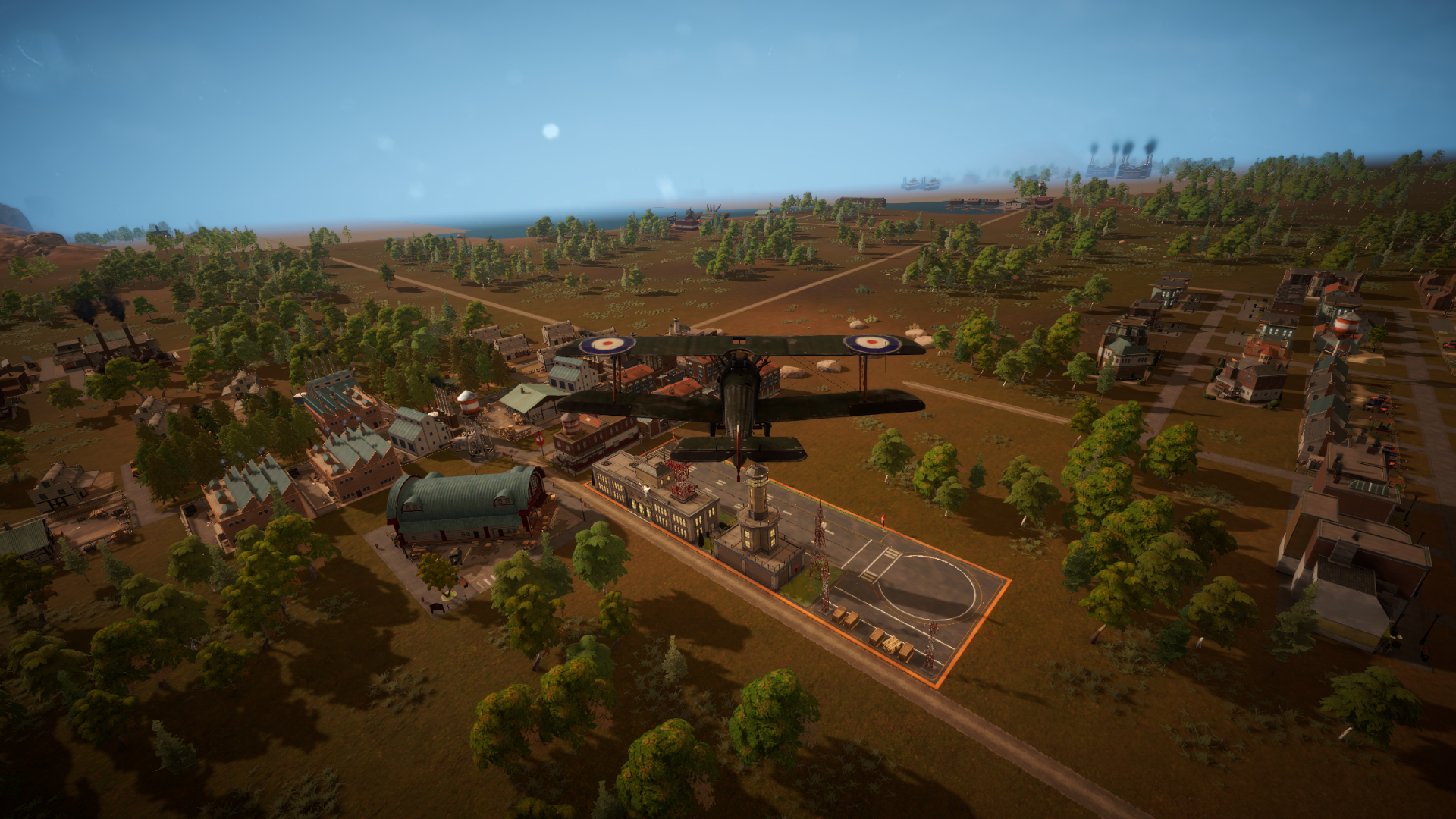 Screenshot - Enjoying your city from the comfort of your own airplane
Now, with the public service announcement out of the way, we can dive into today’s dev diary topic which is all about how it’s easier to build a city while conquering the world with the new Warfare update. One of the many feedback points we’ve gotten from players about warfare is how some elements of the world map can take you by surprise when you’ve been deep into city building and production chain optimization for a while. This will be a thing of the past!
Briefing Notifications
The biggest change here is the new Briefing system. Whenever something important happens on the world map like a faction declares war on you, your troops win a border battle, a region gets conquered, enemy forces are spotted near your borders, a briefing notification pops up on your screen. Each one gives you two options: dismiss it and carry on with your city, or click through to jump straight to the relevant spot on the world map. No more tabbing over to the world map every few minutes just to check if something happened while you were busy building out a new neighborhood for your Technicians.
Military Overview Panel
We've also added a full Military Overview Panel that you can open at any time. It contains three tabs: Divisions, Units, and Logistics. The Divisions tab shows all your battalions, squadrons, and fleets at a glance: where they are, what shape they're in, how their supplies look. You can expand any division to see its full composition and click a button to take you right to them on the world map. The Units tab breaks things down by unit type across your entire military, and the Logistics tab shows your production output and supply coverage in one place. Think of it as your war room dashboard. Everything you need to know without having to hunt for it on the map.
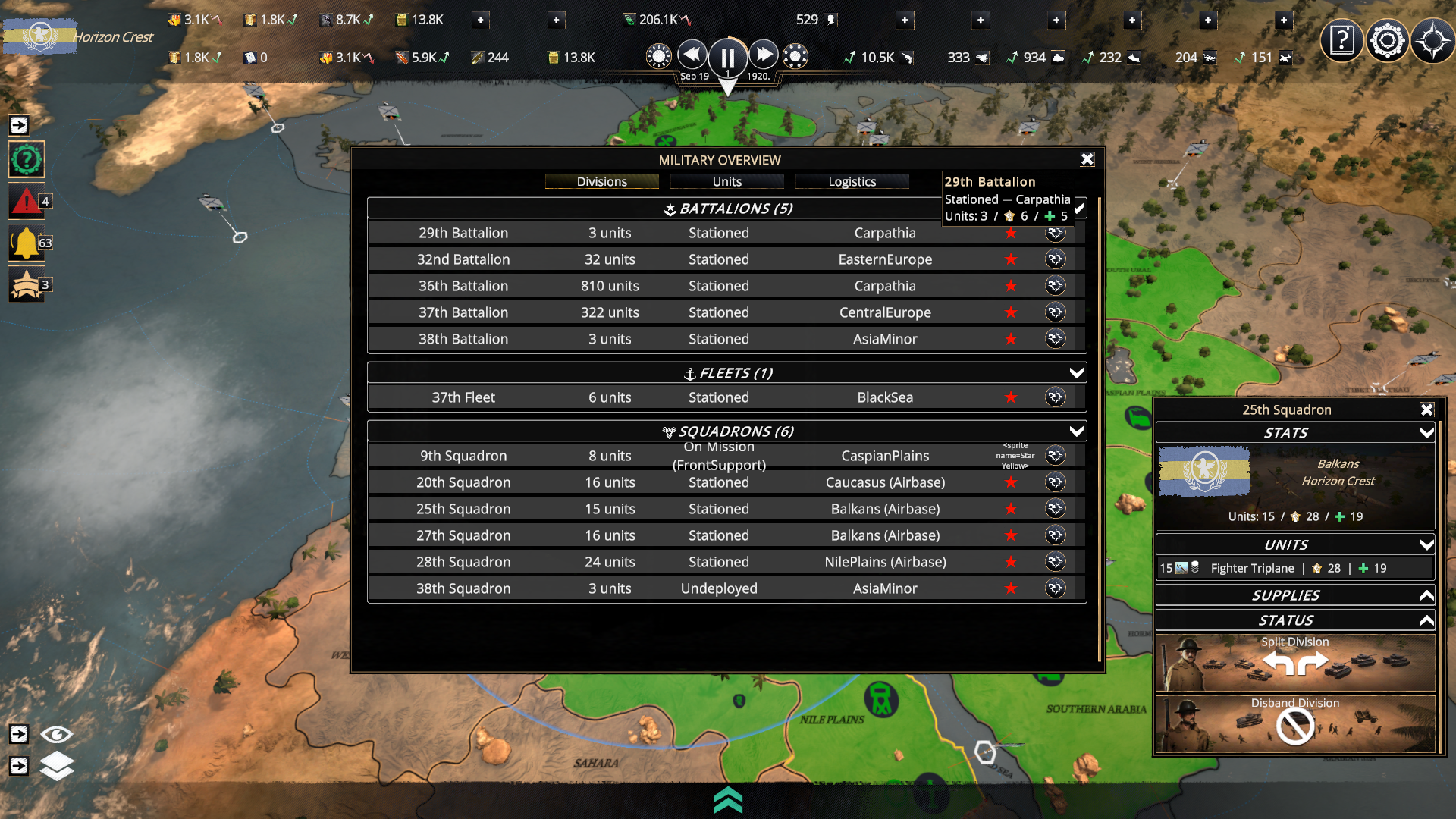 WIP Screenshot - New Military Overview Panel giving you a better view of your military forces.
Battle Markers
Active battles are now marked directly on the world map with visible flags. The battle markers give you quick info, but you can also hover over them for a more detailed summary, or click to jump into the battle view and have all the tiny details at your fingertips.
Supply at a Glance
Divisions show their supply state directly on the map and in the overview panel — green, yellow, or red. The Logistics tab in the Military Overview tells you exactly which resources your military is burning through and how many days of stock you have left. If your ammunition coverage drops to two days, you know it's time to head back to your city and get another munitions factory up and running, unless the problem is supply delivery.
Continuous Military Production
Military bases now work like any other production building in your city. Set up what you want to produce, and the base keeps training units as long as it has the resources and recruits to do so. New units rally near your capital in neat groups by type: land (Battalion), air (Squadron), and naval (Fleet), ready for you to send wherever they're needed. No more fiddling with training queues or wondering where your freshly trained troops ended up. Your war machine just keeps on running as long as you let it.
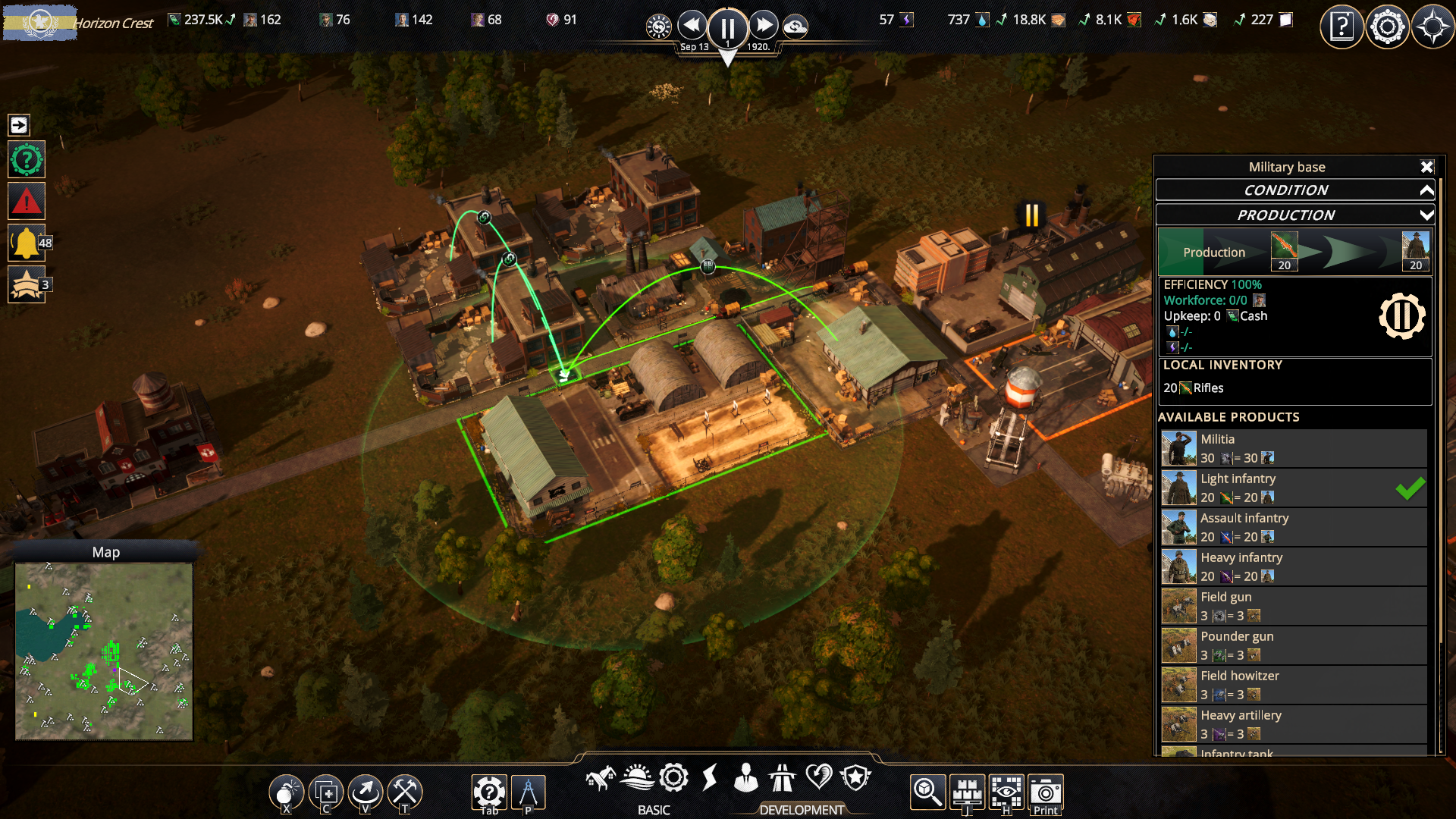 WIP Screenshot - The Military Base now provides you with a more informative Production UI
War on Your Terms
On the diplomatic side, you'll always know when trouble is brewing. If an enemy faction starts moving troops toward your borders, you'll see it coming. When someone declares war, you get a clear prompt with your options. And when you want to go on the offensive yourself, sending a division toward an enemy region will ask you to confirm the declaration of war before anything kicks off. No accidental wars, no ambushes you couldn't have seen coming. OK... maybe some ambushes, but that’s all about the AI making a clever choice.
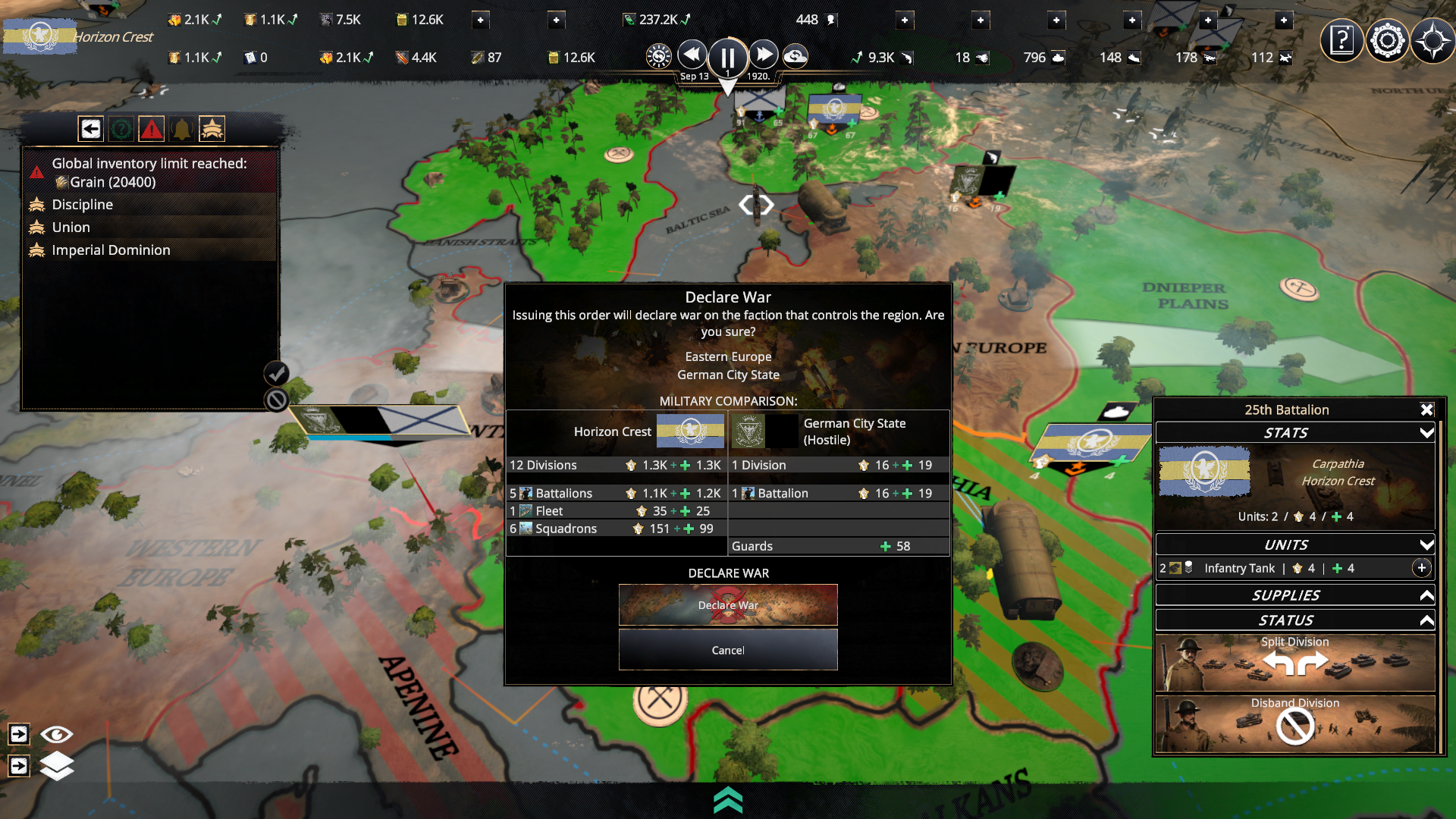 WIP Screenshot - The Declaration of War notification will give you a birds eye view of both sides available military units giving you a second chance to reconsider.
A bit of a shorter dev log this time around, but next week I’ll be covering a lot of different changes that are coming to the Regions on the world map and how your military units will navigate them. Lot’s of good updates you can look forward to in that one so make sure you don’t miss it!
All the best,
- The Overseer Team