Hey Elysians,
We’re excited to introduce “Elysian Reports” - a new series designed to give you a behind-the-scenes look at our development process and sneak peeks at what we’re building between major patches. For our very first report today, we want to look at how a lot of moving pieces are coming together. From audio overhauls to a more streamlined production pipeline, we are setting the stage for a smooth 20.0 release. But before we dive into all of that, let’s kick things off by talking about what you’ve all been asking for lately: controller support.

When it comes to the community’s most requested features, nothing tops the list quite like controller support.
We know you’ve been eagerly waiting for this, and we truly appreciate your patience as we work through it. We wish we could just push a button and have it ready for you on day one, but the truth is, we aren’t holding it back just to make you wait - we’re taking our time because we are absolutely determined to get this first pass right. Implementing gamepads into a complex world like ours means reworking everything from basic movement to inventory menus, and we refuse to roll out a rushed, clunky version that frustrates our players. We want this first experience flying with a controller to feel completely natural and smooth to ensure the experience is as great as it is on PC, if not better - and that extra care takes a little time. Today, we’re exploring everything about controller support with our Executive Producer, Ray, who has been the main face behind controller integration!
Why Controller Integration Takes Time
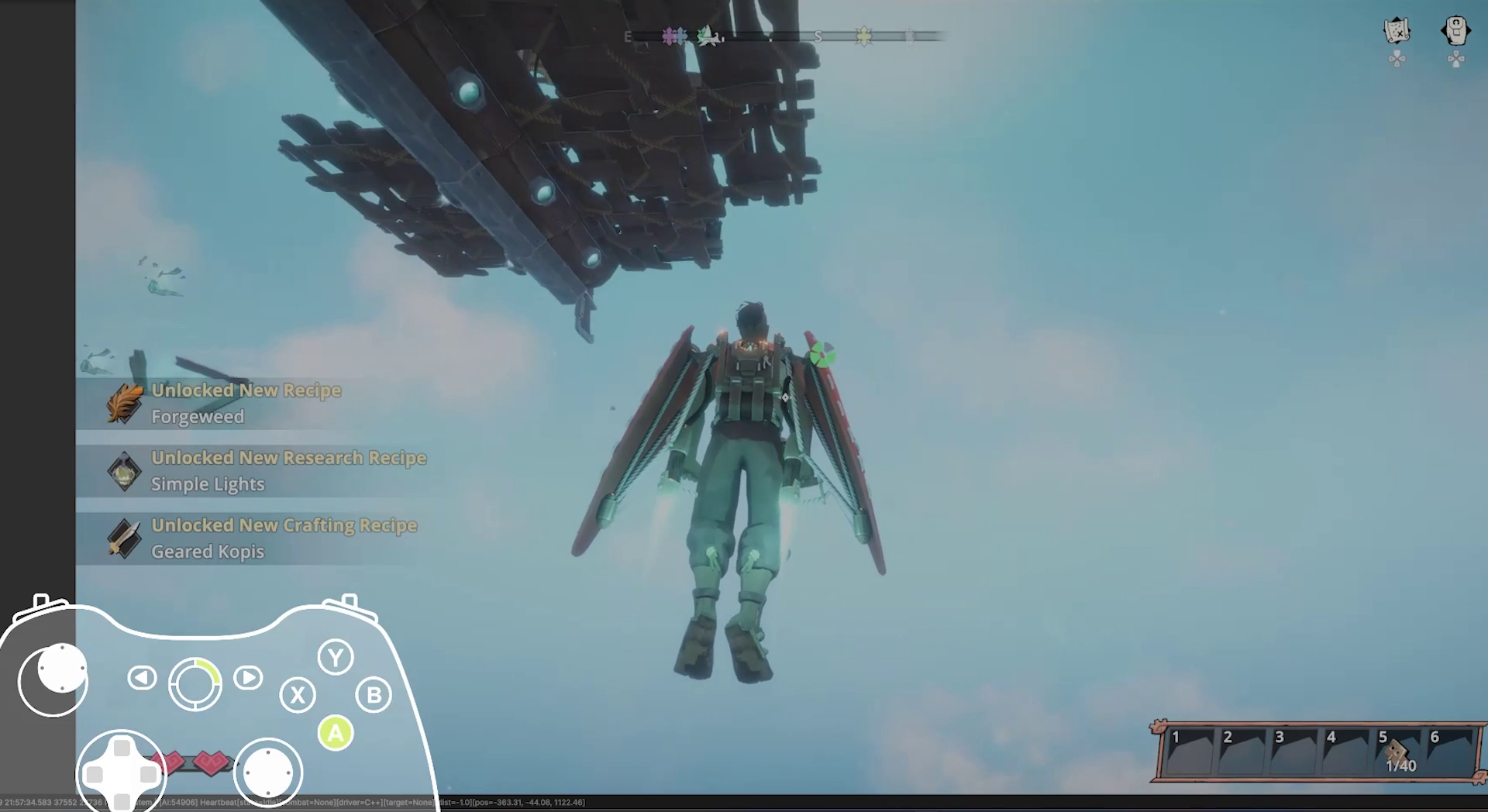
At face value, controller support seems simple: you want to plug in your controller and run around with your character. But in an airship survival game, there are so many more mechanics that are taken into consideration - you’re gliding, swinging, jumping around, piloting massive airships, managing complex inventories, and crafting.
Our Executive Producer, Ray, took on the monumental task of building our controller support by himself. Eager to deliver a seamless experience, he handled design and implementation, starting with the easiest part: player movement. Tuning the swinging, jumping, and gliding on foot felt great early on, but as he moved to airship flight, he realized the transition between foot travel and the help needed to feel completely natural.
The moment you introduce dual-input systems like this, you have a waterfall approach. You map a button for a specific airship action, such as turning thrusters on and off, only to realize the same button now breaks a crucial on-foot mechanic like jumping or interacting. Ray would work in parallel interactions, constantly making iterations to ensure these shifts were seamless.
We wanted to take our time here because we didn’t want to leave out anything players naturally expect when it comes to controller support. Ultimately, Ray spent a couple weeks just building the core foundation: ensuring that custom controller glyphs were fully integrated and making sure the system could dynamically swap inputs on the fly - and has been continuing to iterate since.
The Biggest Roadblocks: Menus, Cameras, and Pop-ups
Moving from a mouse to a controller brought some major design challenges, and a few things simply didn’t work on the first try.
The Build Menu and Navigation: Grid navigation was frustrating for two different reasons. When navigating inventory menus, the selection cursor would occasionally skip cells entirely when tapping right. It took some tweaking to get the grid selection to work properly. In addition to that, the tooltips that show item names and required crafting materials kept appearing off-screen when using a controller. We had to restructure how these menus center themselves.
Camera movement and sensitivity: Mice and analog sticks register movement entirely differently. During early tests, the sticks were so sensitive that the cameras were whipping around at lightning speed. We had to slow it down as a default setting for the controller, while also mapping shortcuts for zooming the camera in and out.
“Controller Detected” pop up: We originally experimented with a notification pop-up whenever a controller was plugged in or disconnected. While it worked fine on the main menu, it felt incredibly disruptive when triggered mid-game, so we scrapped it. Now, the game silently detects your controller, and the HUD glyphs instantly swap over without throwing distracting text in your face.
Getting Outside Feedback
To make sure we weren’t working in a bubble, we turned to our Discord moderators for blind testing. We handed over the build with no instructions, just a simple “plug in a controller and tell us how it feels." They were the first group outside the dev team to get their hands on it. While their feedback was especially encouraging, they also pointed out blind spots the team had missed. For example, we originally used the D-pad strictly for quick-menu shortcuts. Our mods pointed out that they instinctively expected to use the D-pad to navigate crafting stations and inventories alongside the analog sticks. Thanks to their detailed feedback, we overhauled the D-pad functionality to support both, so we wanted to give a special shoutout to our community mods for your early reactions - we couldn’t have progressed the way we did without your help!
What To Expect
If you saw our previous teasers for controller support, we have great news!
The final version is even stronger than ever before! Here’s a first look at how it plays now:
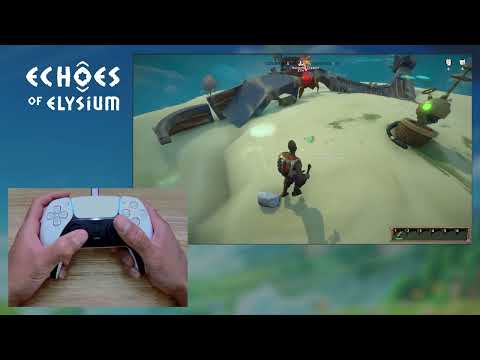
The previously early clips teased were just to test basic inputs without worrying too much about the actual “feel” of the game. As we took extra time to polish the update, the final release will feature incredibly smooth UI/UX transitions, sharper glyph layouts, and a significantly improved building experience.
Here is what you can expect:
Full Native Support within the game with main screen and settings menus coming soon
Full Rebinding: You will have the ability to fully rebind and customize your controls
What’s Next
This has been a massive labor of love over the past two months, balanced alongside our regular major content update and patches. We are incredibly excited to get controller support into your hands, and you can expect it to drop shortly after the release of v0.20.0.
“I feel like Echoes was made for controllers. From running around and picking items up to building your airship and using crafting stations, the game feels so good to the point that once it’s in there, I think I’m going to be playing the game exclusively with the controller.”
- Ray, Executive Producer
This first pass feels incredibly solid and we will continue to expand and refine it based on your feedback once it’s in your hands.

Music and sound design are integral to the game experience as they really shape how the world feels.
When our upcoming v0.20.0 update drops, you’ll likely spot a brief line that says “updated audio and music” - but behind those words is a massive, ground-up overhaul of how the world of Elysium will sound. To give you a closer look behind-the-scenes, we sat down with our new Audio Designer, Ian, who handles sound design, music, and technical implementation to talk about what went into 20.0, the day-to-day process, and the future of our soundscapes.
A Day in the Life: Field Recording in the Rain
On the audio side of 20.0, Ian’s role focuses heavily on technical sound direction and design. This means not just creating sound effects and music, but building the actual underlying musical systems that control how and when players hear them. The day-to-day process involves playing through the game, looking closely at what the team has been doing with the new weather systems, and figuring out exactly how to translate those visuals into audio from a player perspective like what would players expect and want to hear in that moment, and then building those sounds from scratch.
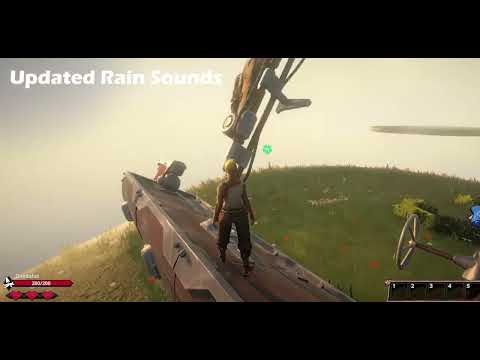
For the weather sounds, Ian actually went out and field recorded whenever it started raining to capture authentic audio. He would record real rain hitting a wide range of materials so that for example, when a storm hits an airship in-game, it would feel way more real and immersive.
When asked which of the new audio changes in 20.0 he was most proud of, he stated:
“It’s a weird one, but I’m really proud of the under-deck cloth in medium rain sound. It’s a highly specific sound, but all the pieces lined up with it, and it came out really well.”
- Ian, Audio Designer
Overhauling the Music System
Ian has reimagined how audio scores your journey across Elysium through the new music system. In previous updates for Echoes, the music would essentially start up, play, and loop. It worked, but for a game with vast exploration, it didn’t feel quite dynamic enough. Taking a page out of games like Minecraft or The Legend of Zelda: Breath of the Wild, Ian wanted the music to adopt a more sparse and intentional cadence rather than a continuous loop, making the player’s journey feel far more immersive. With this update, music will be tied more dynamically to your journey. You might be exploring, completely immersed in the ambient sounds of the world when you’re suddenly hit with the overworld music coming in at just the right moment. This will be our first pass at this system, and will continue to be iterated on a lot, but the foundation will officially be in place when 20.0 launches.
Audio Transformations: Before and After 20.0
Some of the most impactful changes in 20.0 will be the ones you might not notice at first. There was a heavy focus on removing audio fatigue by adding massive variation to repetitive sound cues.
The Airship: The ship sounds will feel much more stylized and part of the game. Instead of just hearing “cool ship sounds” in the background, the audio will now feel much more responsive, making players really feel like they’re the ones physically causing the ship to make those sounds.
Constructs: Previously, when a construct charged at you, it played the exact same sound effect every single time. In 20.0, it will pull from a pool of 20 similar sounds with distinct variation, making their behavior feel much more organic and alive.
Player Actions: The same logic has been applied to player swings, tools, weapons, and jumps as well!
For the future, Ian’s goal is to compose more combat music that is part of the exploration. So when you get into combat, the same track will dynamically layer in more aggressive, intense, and varied instruments. Once the threat is gone, those intense layers will seamlessly strip away, leaving you right back with the peaceful base exploration track. We are incredibly excited for you to soon experience 20.0 with this updated audio landscape. For Ian, seeing and now finally hearing the audio click so perfectly with the incredible visuals from the VFX artists has made the world start to feel more alive and full - and he is already looking at ways to push those boundaries even further in coming updates.

With Ian bringing sounds to life, there is also an entirely different side of development dedicated to making sure all those pieces actually fit together. Shipping a major update requires a massive amount of behind-the-scenes coordination and logistics. To help us find that perfect balance, we recently welcomed our new junior Live-Ops Producer, El, to the team, who has been keeping everyone aligned on goals as well as also turning community feedback directly into actionable tasks.
Navigating 20.0
Stepping into a project mid-development felt overwhelming at first, but El’s immediate focus was getting caught up to speed with where we were in development and that included scheduling necessary meetings, identifying any forgotten requirements, and breaking all that down into actionable tasks. In an indie studio, the player’s ideas and feedback have a much more direct impact, and part of their goals are to keep those brilliant ideas organized so the team stays focused on the milestone without losing their passion.
“I want players to really feel the team’s passion and excitement for the game. My job isn’t just about aligning with player feedback and solving issues, but to also support the team’s creative energy while keeping us grounded.”
- El, Live-Ops Producer
Learning the Team to Help the Team
El believed in learning the team’s existing fundamentals before attempting to optimize them. This meant observing as much as possible which included taking in all patterns and listening in to why or how things were done, and really getting an understanding of what a patch or feature meant to the Loric Team specifically. There are basic descriptions of what they entail, but there is an internal team’s defined impression of it as well. For 20.0, this meant keeping the pre-planned roadmap intact while checking in with individual devs to ask how their tasks could be better structured to support their workflow. By asking questions constantly, they help clarify ideas between different team members before work actually begins and getting these questions answered early helps keep our momentum high. Understanding where every task stands and what it requires helps the team make meaningful progress towards our core goals every day without getting sidetracked, ensuring we deliver patches to players as efficiently as possible!
Triaging Player Feedback
Managing the massive influx of community bug reports and feedback across different platforms through Discord, Steam, and the feedback boards is an ongoing process but is approached effectively through balancing volume and impact:
High Volume, Low Impact: Minor issues like a UI bug or an unclear item description might seem minor, but if a high number of players experience them, they create low-level friction and become high-priority, quick fixes.
Low Volume, High Impact: Severe issues like rare crashes might only have a few reports, but when they prevent players from playing entirely, their impact is massive and demands immediate attention.
It’s especially important to assess the complexity of a fix as well to avoid letting a seemingly small bug delay a major patch. For example, during the 19.2's release, the team opted to push the update on time and spend extra dedicated time testing an audio crash fix rather than delaying the entire release. El views a high volume of bug reports as a positive sign of an active, engaged Early Access community. They prioritize recency and impact - what players are experiencing on the latest build right now. If players are seeing old bugs popping up still, or in some cases again, that tells the team it is still an active issue and has not been resolved yet. Often the best fix isn’t just patching a specific user complaint, but improving the underlying system so the problem disappears entirely.
To give you an idea of where this structured approach is taking us next, here is a quick look at our short-term roadmap:
*Subject to change
V0.20.0 - Weather, Rain & Wind, oh my!
V0.21.0 - Controller Support
V0.22.0 - Airship Combat and NPC improvements
Ultimately, everything we are building is about making the world feel more alive, responsive, and polished.
From the immersive layers of our updated audio landscape to the streamlined production pipelines driving our day-to-day development, 20.0 represents a massive step forward for the game. Tightening our organization behind the scenes has really ensured we can deliver these new experiences like weather systems effectively, while laying the groundwork for highly anticipated features like full controller support shortly after. We can’t wait to get 20.0 out for you guys and really experience these changes firsthand! And of course, thank you for your incredible support in Early Access! In our next Elysian Report, we’ll take a closer look at 20.0’s changes including major UI updates.

To keep up to date with all things behind-the-scenes or to connect with the dev team and community, hop on over to our Discord community:
✨ discord.gg/loricgames
Our doors are always open, and we’re eager to hear directly from players.
In fact, if you want to hang out and play with other Elysians, we host our community game nights every Friday at 9 PM ET - Yes, that means tonight as well! We hope to see you all there!
Thanks everyone!
- Team Loric 🧡