Greetings!
This update is our largest reworking of the game's economy to date: from the AI Management of your workshop to the customers who buy from them- alongside proper support for non‑Latin languages, a nurtured in‑game Guide for economy details, and a long list of fixes.
To access this beta patch, you must opt‑in to the Beta branch by navigating to Steam Library > The Guild 2: Renaissance > Properties > Game Versions & Betas > patch_4.6.
For this release, the version shown on the main menu is "4.679".
Remember to start the game with the launcher to update your mods. As always, we made sure to update "Reforged (Official)" with the latest changes.
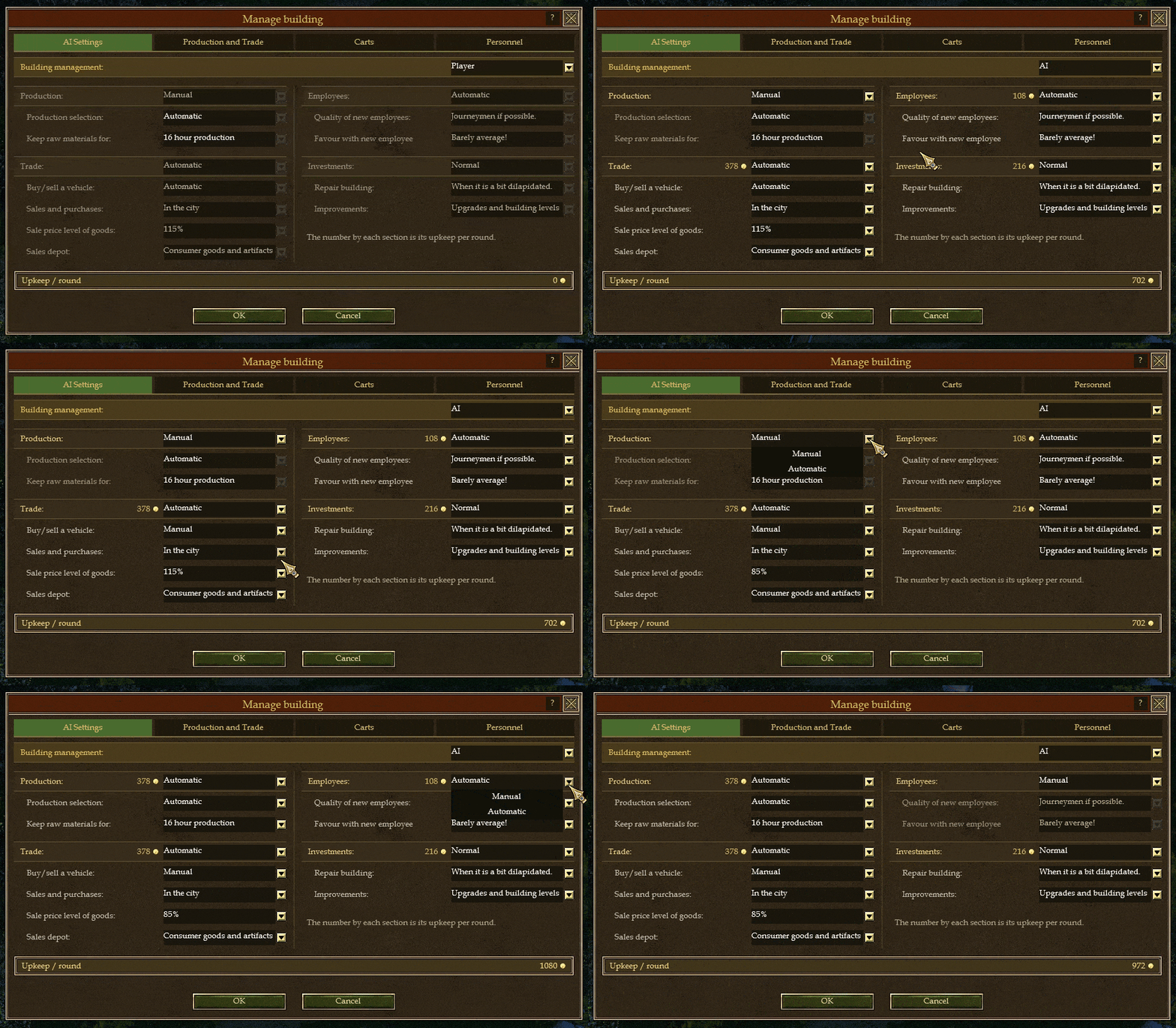
The Steward - Manage Your Buildings
Hand a workshop to a steward and he will produce your wares, buy your materials, stock your counter, manage your staff and mind your budget while you tend to grander matters. The entire Manage Building interface has been rebuilt from the ground up to give you real, per‑item control over how he does it.
Production
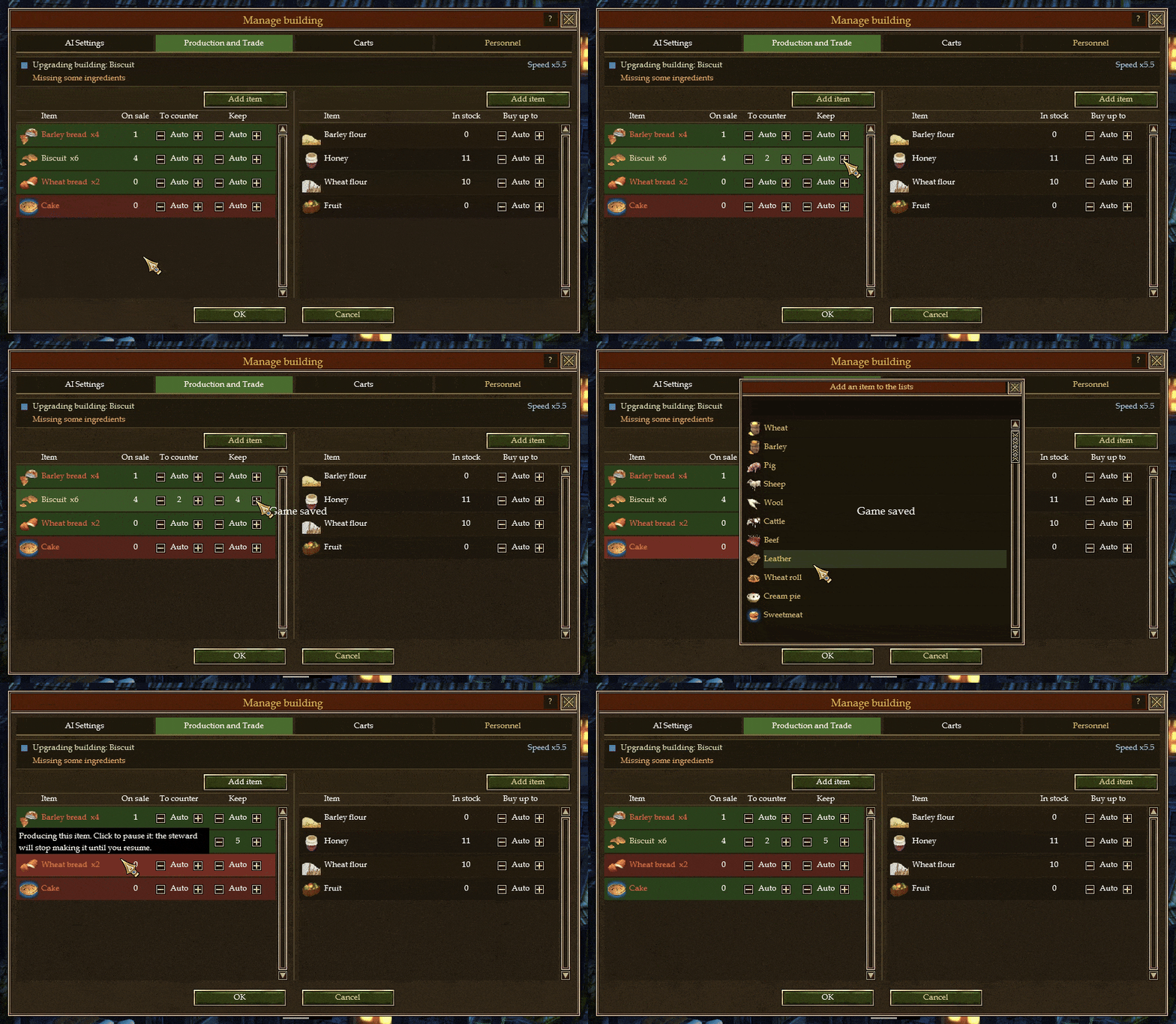
Set exactly how many of each ware your workshop should keep on hand, and how many it should keep in your sales storage. Carts do not take items from the sales storage, and they only take items from the main inventory above the "Keep" threshold you set.
Set a Buy List of items required for your production to keep going, and your auto-managed AI carts will fulfill the orders.
You can now halt production of any single item. Simply click an item's row to toggle it! A green tint means your workshop will keep making it, a red tint means he will leave it be.
Shift+Click on the \[-] and \[+] icons allows removing or adding 5 by 5 (instead of 1 by 1).
Trade & the Sales Counter
"To Counter": the number you set is the most of that ware that will ever sit on your sales counter. Anything above it flows back into storage instead of piling up.
Storage that manages itself. If the surplus has nowhere to go because your storage is full, your steward will purchase a storage upgrade to make room so a busy shop never chokes on its own stock.
Manage your prices. If you set Trade to Manual, your shop keeps its hands off the counter entirely and sells at the plain 100% price ; however, you can sell at a more expensive price for more money but less customers... or at a cheaper price, for less money but possibly more customers! Or perhaps sell cheap to starve your competitors...
Counter prices now track the true going rate in town so your walk‑in sales reflect the local market's prices. Your bargaining skills and that of the buyer's will be taken into consideration for a final price calculation.
Carts
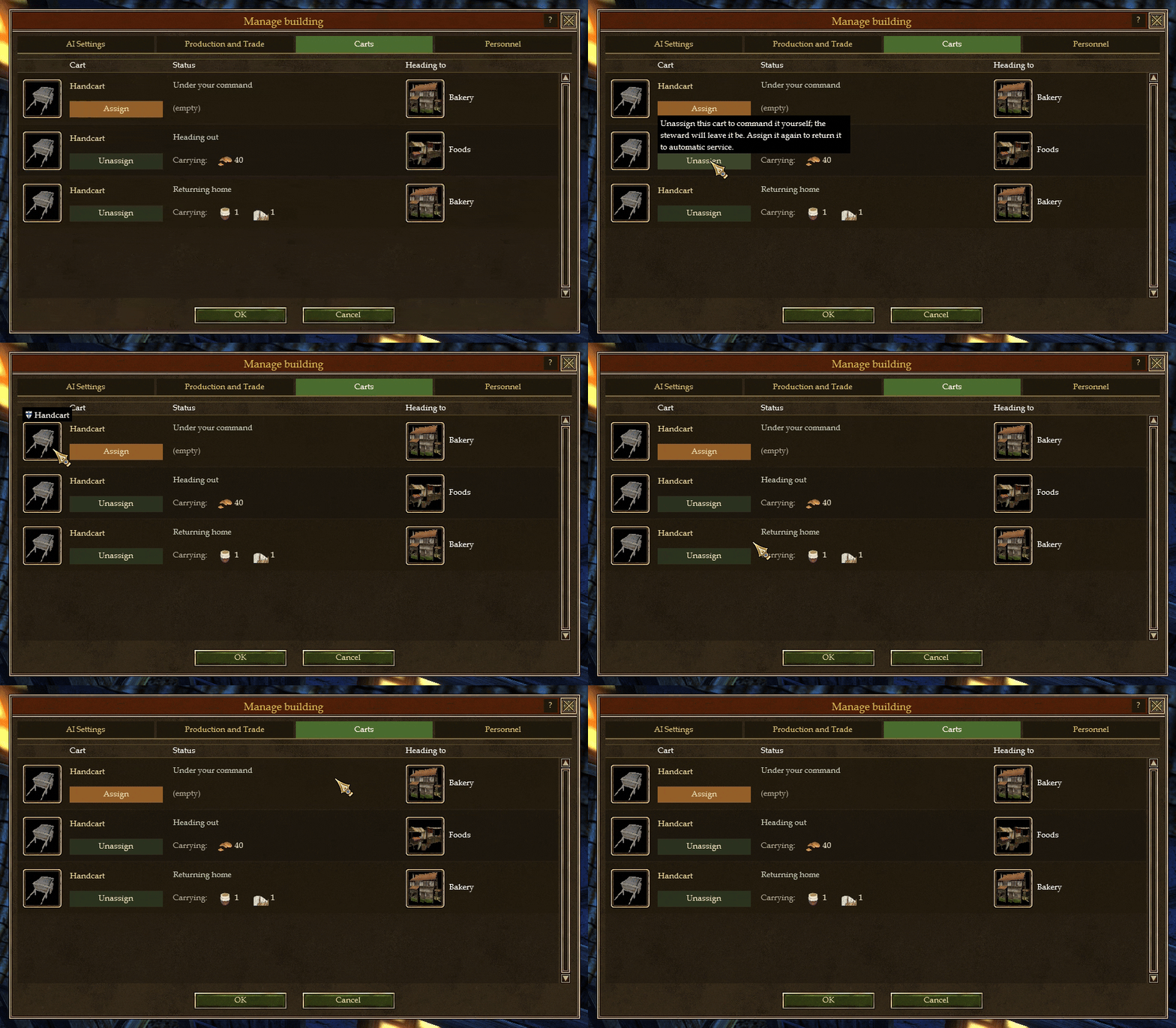
You can now "Unassign" a cart to take it back under your own control. It halts its current errand immediately and waits for your orders. Assign it back to your steward whenever you like. In other words, it is now possible to have a hybrid system whereas the building is set to AI Management of carts activated while also having manually-controlled carts that you can give orders to.
The AI Cart management has been revised to make it a lot more intelligent than before. It is now capable of conducting multiple sell / buy tasks at once, and it properly considers workshops selling those items (including yours). It is aware of when goods are urgently needed to keep the production going, in which case it looks for the closest and cheapest source of materials. Of course, that is just a summary of all changes and the best way to see it is for you to give it a try!
Personnel & Wages
Coin flows out as surely as it flows in, and now you can see exactly when. The Personnel tab shows a bar detailing the store's working hours, marked with the two regular drains on your purse:
A gold mark shows when wages are paid. Wages gather through the day and are settled in a single sum at midnight, so a dip in your coin at the start of the next cycle is simply payday, not misfortune.
A filling bar shows your steward's upkeep, which is drawn a little at a time, every hour. Hover it to see the exact price it costs; gold symbol and all.
The working hours of your building is now shown as the main horizontal bar, which updates its marker for the current time in real time.
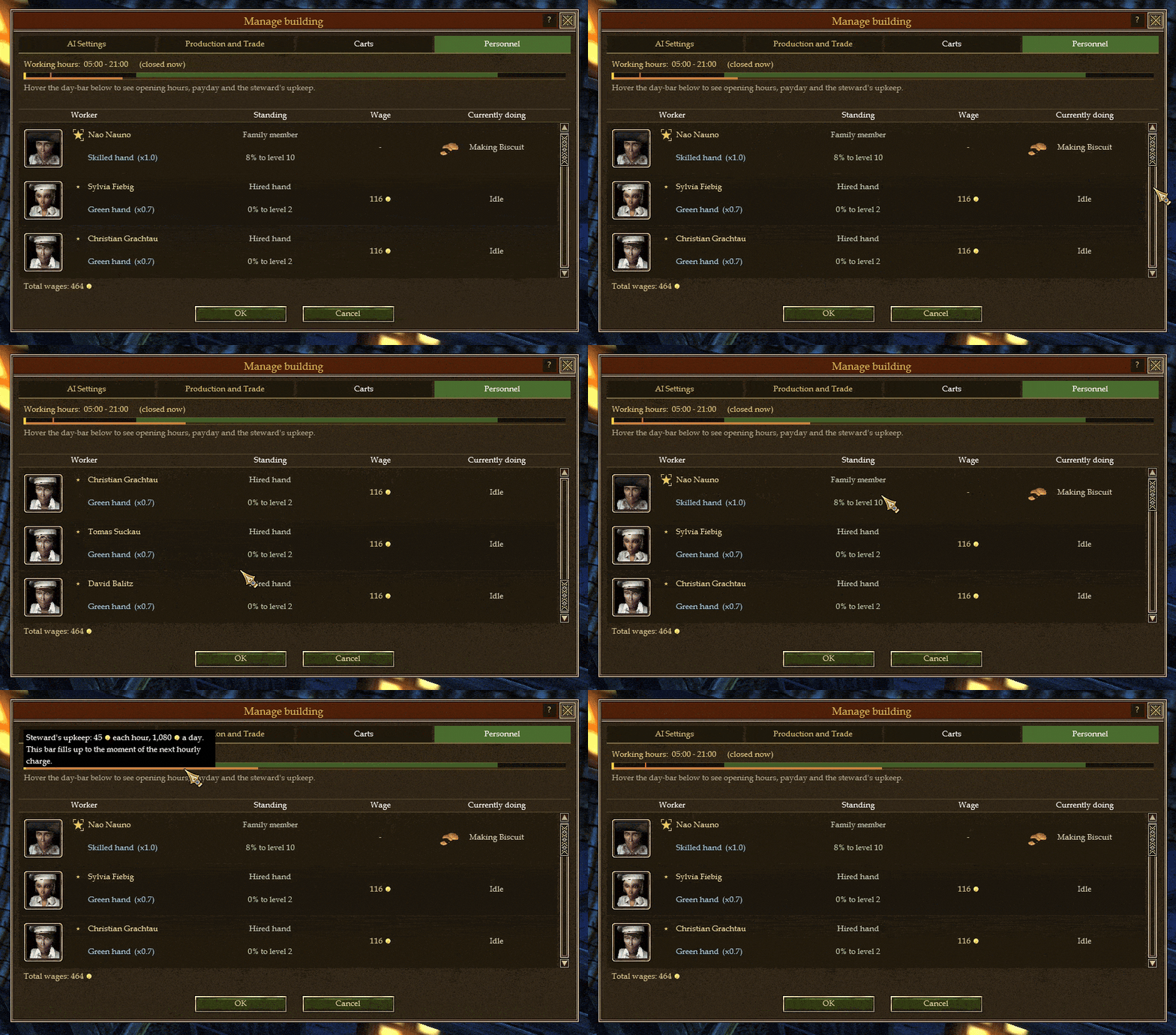
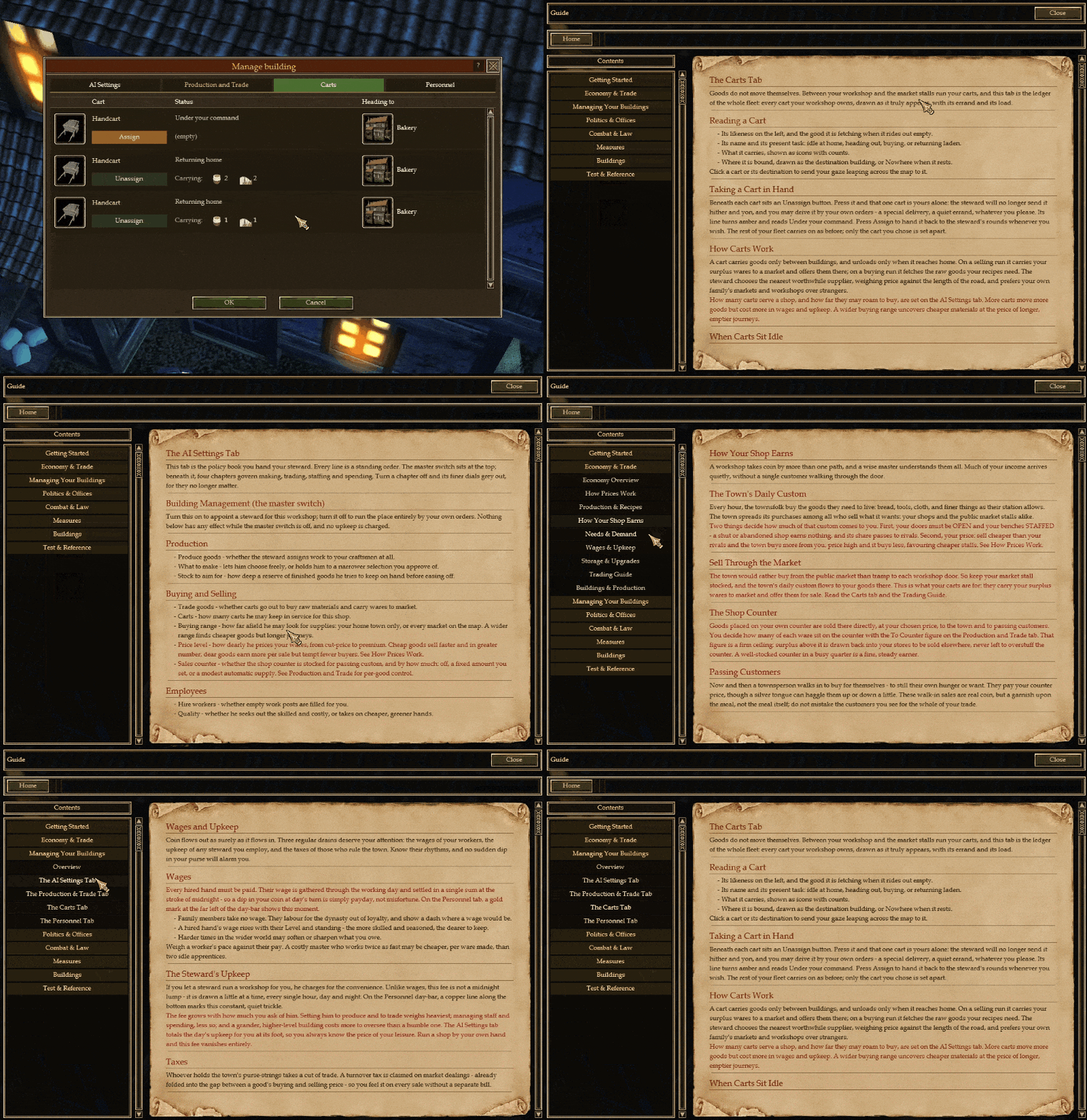
Finally, every tab of the Manage Building window now carries a small "?" button that opens a dedicated Guide page explaining exactly what that tab does!
How the Economy Works, and How to Beat Your Opponents
Much of the economy has been retuned so that the town behaves the way a town should. Here is how coin truly changes hands, and how a clever merchant turns that to their advantage.
How your goods sell
Citizens wander into your shop and buy what they need, tier by tier: necessities before comforts, bread before wine. Keep your counter stocked and your doors staffed, and custom will eventually come!
The population's real needs now drive demand properly. What the town wants, and how badly, is laid out plainly in the updated City Needs sheet.
Customers no longer hold it against you when you cannot supply a ware you were never able to make, so your reputation is spared for honest gaps in your trade.
Pricing & the art of the bargain
Greed has a price. Set your markup too high and fewer customers bite... price fairly and you move real volume so demand now responds to what you charge.
Your silver tongue matters more than ever. The town's goodwill sways the final price at the haggling table, because visiting guests will haggle too (your Bargaining and that of your customer can influence the final prices).
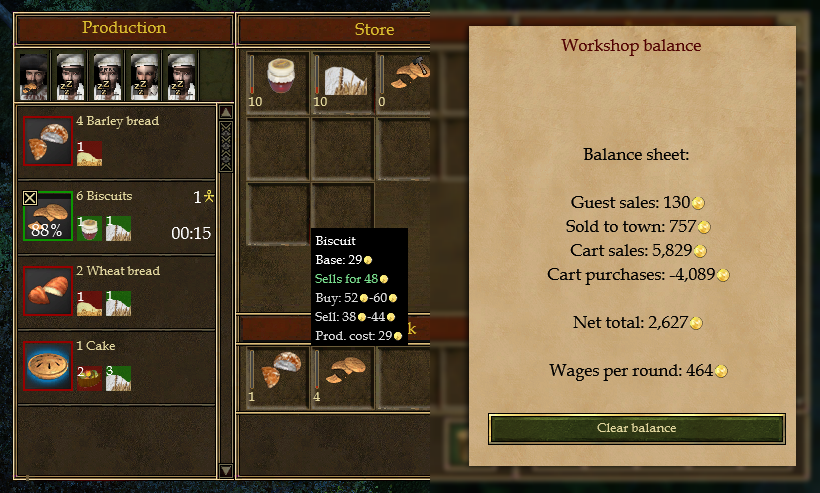
The sales tooltip now shows a much better price estimation that a guest would actually pay, so you can set your counter with open eyes.
Additionally, and only during open hours, the town might buy goods from your sales storage directly if it deems it necessary and lacking in its own market.
Prices at the markets are impacted by the updated "city needs" population, especially because the settlement's price for an item is impacted locally. The more citizens there are, the higher the needs and the higher the "ideal stock" for each item will be... This means, in return, that the shortages and overstock fluctuate in real time based on this factor alone.
Additionally, the price of a manufactured item is also updated live to scale based on the price of its required goods to make. So will you find ways to crash your opponent's economy that way? Will you gain new riches thanks to this dynamic settlement-by-settlement pricing system?
Outcompeting your rivals
Undercut and outproduce. Watch the town's needs, make what is scarce, and price just under the competition to draw their customers to your door.
Trade even with your enemies. You can buy wares straight from a rival's sales counter, even one you are at war with, at a stiff wartime markup. These repeated dealings build a trading reputation between your houses and make it easier to reconciliate your dynasties.
Markets that actually run dry or overstock. Town markets now deplete and restock properly thanks to the updated city population needs, so shortages are real opportunities for the merchants ready to fill them.
Special artifacts and rare consumables now find buyers, where before they could sit unsold.
An Important Change For Additive Lua Script Mods
Modding the game's scripts is far less destructive and opens even more doors for compatibility and is less prone to errors. Previously, when a mod replaced one of the game's Lua scripts it replaced the entire file, meaning a mod that only wanted to change a single function had to copy the whole original and keep it in sync forever, and two mods touching the same exact script file could never coexist.
Script mods are now additive by default. Your mod's copy of a script is layered on top of the original: the functions you define override the originals, and everything you don't define -every other function, plus the top-level code, constants and locals- is inherited automatically. Change the one function you care about and leave the rest to the base game.
Define only what you change. A mod that redefines only Run() keeps the original CleanUp(), and everything else.
Top-level values are inherited too: constants and locals declared at the top of the original script stay visible to your overrides.
Mods stack. Several mods can layer over the same script; the highest-priority one wins per function, and the others still contribute whatever they didn't override.
Want the old wholesale behaviour (e.g. to delete an original function by leaving it out)? Put --@replace near the top of your script file to opt out. --@override, --@fullreplace and --@nomerge do the same.
Existing full-replace mods keep working exactly as before, and the whole thing is resolved at load time, so multiplayer stays in sync and gets updated properly on each mod and game update, and so on.
Localization (Non‑Latin Support)
For the first time, names written in non‑Latin, such as Simplified Chinese, display correctly throughout the game. Every glyph that is missing now reverts back to the systems font so that it gives everyone a chance to try the game in their own language (for as long as a translation for it is available or being worked on).
Character, dynasty, and building names now render properly in the guild‑master election lists, selection panels, tooltips, Multiplayer RPG speech and beyond. (also Guide pages...)
Fixed missing character pages in some mod fonts (Cyrillic and Polish), which previously showed empty boxes or broken symbols in place of letters.
Misc
AI is now able to Finish Off, Break Bones, Rob, and more.
Minor adjustments to GuildIILauncher.exe
Minor adjustments to the "Best Candidates" section in Important Persons UI.
Hiring employees should suggest young people more often.
Removed some logs.
Added Workshop Sheet Balance to vanilla.
Chinese Localization update by [dynamiclink href="https://steamcommunity.com/id/BlackPainkiller"].
Russian Localization update by [dynamiclink href="https://steamcommunity.com/id/vkodeks"].
Polish Localization update by [dynamiclink href="https://steamcommunity.com/id/Szekiel1099/"].
Increase resourcemanager cache limit.
GetProperty() calls no longer triggers "Wrong Data Type" warning errors.
GiTSE should be more stable and correctly display previews for the following: city build areas, city walls, building placements. It should have a smoother camera movement, and it should keep the initial collision mapping of the original map when that same map is being expanded to either 2k or 4k.
Fixed Steam Multiplayer Ping Wheel not scaling right on screen.
Added new Economy-related pages to the Guide system.
Thank you, as always, to our translators and to everyone sharing feedback on the forums and Discord. Thank you once again to our closed beta testers for thoroughly testing the new features and making requests to improve the experience for all. Thank you to FellowSunBro for proof-reading this patch note.
This economy overhaul is built directly on what you told us: we heard your many complaints about the original AI management of the game and decided to start providing new solutions that remain immersive and faithful to the game.
Thank you to [dynamiclink href="https://steamcommunity.com/id/BlackPainkiller"] for providing the Chinese translation of these patch notes, and thank you to [dynamiclink href="https://steamcommunity.com/id/vkodeks"] for the Russian translation of it as well!
Have a very pleasant day, and may your counters never sit empty!