About Graphics Settings and DirectX 12
In update 1.13.5, we added support for DirectX 12. This feature is currently experimental, so your feedback is especially important to us. Please let us know how the game runs on your device, whether you notice any performance improvements, whether the game has become more stable, or if you encounter any new issues. We have also significantly reworked the graphics and added expanded visual quality settings. You can now adjust the following options separately:
draw distance;
texture quality;
reflection quality.
Many of you have been asking for a separate draw distance setting, so we listened to your feedback and added this option.
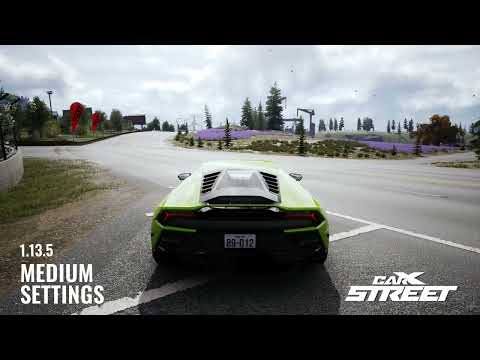
Please note that the current graphics on medium settings now look noticeably better than the graphics on maximum settings in the previous version. This is especially true for draw distance. Because of this, you may experience lower performance on higher settings: the game now displays more detail, and the overall image quality has been improved. To increase FPS and bring the graphics closer to the previous version, try lowering a setting such as draw distance.
Draw Distance: Very Low ≈ Maximum in version 1.13.0.
With the new settings, you can find the right balance between image quality and performance for your system. Thank you for sharing your feedback and helping us improve the game! You can share your feedback on Update 1.13.5 in a dedicated Steam Discussions thread. Best regards, the CarX Street team.