Shader Performance Viewer
- A tool for analyzing Shader performance in VR and Desktop modes.
Bios and Pronouns
- More words and such to put in your profile! Let people know who you are!
Skeletal Finger Tracking
- Full rework of our skeletal finger tracking system, now properly supports SteamVR Skeletal Input and more!
Prop Management
- You can now view and manage props in an instance from your Quick Menu! Blocking, hiding, select and more!
Video Player Safety
- Better video player safety including an untrusted URL popup and the ability to toggle video players on an off!
Video Player Upgrades
- AvPro v3 and more updates to LibVLC (LibVLC is still a bit funky lol)
Third Person
- Yet ANOTHER way to look at yourself!
Comfort Alignment (VR Only)
- Accessibility option to adjust your playspace orientation to align your view with the world horizon
Full Changelog
- Added bio to the client
- You can modify your bio on your own profile
- You can read other people's bio on their profile
- Added Cheese
- Added Comfort Alignment feature to Quick Menu Toolbox (VR Only)
- This feature adjusts your playspace orientation to align your view with the world horizon
- (ex: aligns your in-game view upright when you are lying down IRL)
- Note: It may cause motion sickness, dizziness, disorientation, or vertigo, particularly for users sensitive to motion or those new to VR
- This feature adjusts your playspace orientation to align your view with the world horizon
- Added crossed eyes support in the OSC eye tracking module
- Added ImageOnly style to Button/CycleButton
- Added logic to tell GS we are no longer watching a video player
- Added missing create account followup screen when sign-up with steam fails
- Added numerous new bits of info to the Player Select page with the details element
- Added player cycling buttons at the top of the Player Select page
- Added pronouns to the client
- You can modify your pronouns on your own profile
- You can read other people's pronouns on their profile
- Added sound effects for user prop interactions such as spawning or deleting a prop via raycast or menu
- Added Third Person for Desktop Mode
- You can now use CTRL+T to toggle third person mode
- While in third person you can use independent head look to look around your avatar
- Changed the Enter Delete Mode button in the Main Menu Prop page to Toggle Delete Mode, making it possible to exit delete mode by the same button that entered delete mode
- This should help alleviate the confusion for new users who manage to enter delete mode and have no idea how to exit 😠
- Changing Prop removables now reloads all props in the instance when the menu closes
- Removables state is not tracked so this is the best available behavior for now
- Changing Prop tag based blocking now applies to all affected props in the instance when the menu closes
- This will both destroy and spawn props affected by the updated tag filters
- This also applies when blocking props or self moderating user props
- Exposed calibration setting to disable assigning remaining trackers after first binding pass as support trackers
- Exposed Quick Menu Anchor to Hand setting to Quick Menu settings page
- Disabling this will anchor the Quick Menu to your playspace like the Main Menu
- Fixed an issue where a pointers value which was animated while the pointer was disabled would not apply
- Fixed an issue where prop loading of an already loaded bundle could fail if a second download was requested without a defined filepath
- Fixed an issue where video player desync correction broke when seeking or playing a video while the system clock was between 55 and 60 seconds of a minute (5 year old silly bug)
- Fixed auto-generated head & mouth pointers on avatars being misplaced if the avatar root scale was not uniform (1,1,1)
- Fixed clicking the paste button on keyboard on single line inputs reversing the order of lines
- Fixed Desktop not being routed to Quick Menu player select page when UILib QM Player Select Redirect setting was enabled
- Fixed elbow bend goal offset not applying after calibration
- Fixed error spam when changing avatars while in FBT calibration
- Fixed error when calling UpdateSliderSettings on a slider without a value object
- Fixed eye and face tracking still applying when an avatar was distance-hidden
- Fixed first pass of tracker calibration applying play space scale correction to the max tracker distance twice
- Fixed green/red online indication around the profile icon on the profile page displaying whether connected to an instance rather than if online
- This now matches the behaviour of the green/red status indicators on the friends page
- Fixed (hopefully) image flickering in various UILib pages
- Fixed IK swimming pitch not functioning properly in VR
- This was sampling the desktop view pitch, so didn't respond and used last desktop view pitch if VR switched >:(
- Fixed OSC launch args not targeting the proper values to parse
- Fixed out of sync notification element on video player UI being unreadable (did you know this existed?)
- Fixed pagetitle/subtitle not being set to rootpage values when returning to root page
- Fixed player prop visibility not deleting props when set to blocked
- Fixed Quick Menu adjustment mode being entirely broken due to pickup refactor
- Fixed scroll bar not being on the edge of the page
- Fixed some main menu SVGs being the wrong white instead of #dbdbdb
- Fixed the Gamemode field being undefined on instance details page
- Fixed world name in the instance details page pushing the world author out of its box
- Implemented actual SteamVR Skeletal Input for Finger Tracking
- Finger tracking now respects the skeletal tracking level SteamVR reports for each device, instead of checking against controller type.
- Enabled by default at Partial and above, so it works out of the box for hand tracking, gloves, and Knuckles, and stays off where the data's estimated (Vive Wands, Touch Controllers).
- You can lower the minimum to Estimated in VR Finger Tracking settings to force it on for Vive Wands / Touch controllers.
- Tracking levels:
- Full: real finger tracking from hand tracking or gloves (Virtual Desktop, Steam Link, glove hardware)
- Partial: measured finger curls (Index / Knuckles)
- Estimated: hand pose guessed from buttons/triggers (Vive Wands, Touch Controllers)
- You can find related settings under Controls -> VR Finger Tracking
- Finger tracking now respects the skeletal tracking level SteamVR reports for each device, instead of checking against controller type.
- Implemented Shader Performance Viewer - a tool which overlays GPU Shader cost information directly in the viewport. It has various metrics it can display such as:
- Instruction Visualizer: Indicates how many Shader instructions were executed for a given pixel
- Texture Fetches: Indicates how many times Shaders accessed textures
- Overdraw Visualizer: Indicates how many times a given pixel was written to
- Surface Instruction: Same as the Instruction Visualizer but only shows for the last drawcall that has written to a pixel. This is useful for seeing the cost of a specific Shader, instead of the sum of all Shaders that resulted in the pixel in the end
- Improved Non-SPI warning for worlds and added Non-SPI warning for avatars and props
- Increased gaze point distance to 10 units in SRanipal eye module
- Internal XR device handling tweaks:
- Adjusted several systems which checked for the OpenXR launch argument to instead check the current running XR runtime for OpenXR
- There is no user-facing change, but now these systems can handle runtime switching between XR runtimes with little extra complexity
- Fixed TrackedPoseDriver being enabled on controllers when using OpenVR due to OpenXR hands module erroneously registering
- Adjusted several systems which checked for the OpenXR launch argument to instead check the current running XR runtime for OpenXR
- Launching the game to loading home world is now up to 33% faster
- Made pages in Quick Menu take the entire width
- Made Self Portrait track the avatars face rather than being a fixed offset from the players camera
- Your avatar will now stay in focus when head bobbing is disabled or walking with holoport locomotion
- Made world images and user images hexagons in more cases to have better consistency with the rest
- Made world transitions fade background audio in/out alongside the transition
- Migrated Discord Rich Presence to use Social SDK instead of Game SDK
- Added world hub URL click to large image when world is visible
- Added user hub URL to details if display username is active
- Removed Auto Accept Join Request option as we currently cannot get the discord display name of the requesting user, joins always autoaccept now
- Non-friend user profiles now open with the Bio tab selected by default
- The Activity tab is disabled on non-friend profiles since this information is only visible to friends
- Opened friends profile page activity now updates live
- For example, when viewing a friends profile, their activity will update as they change instances
- Potentially fixed animating a pointer value not applying to the underlying collision system
- Prop Management Improvements:
- Implemented a Prop list page in the Quick Menu
- This page lets you view all props in the instance, those which you have spawned, and a limited session history
- You can toggle a props visibility, select it for spawning, hide/block it, and find the spawner from the prop selection page
- You are also able to now undo and redo prop spawns within this page
- Clicking a prop with the Quick Menu open, or holding control in Desktop, will open this quick prop selection page
- The Prop Management menu can be accessed via the "Props" button in the quick menu
- Implemented a Prop list page in the Quick Menu
- Props and Avatars can now be blocked directly from their detail pages
- Avatars already used this behavior, but note that forcing content visible for a specific user overrides forcing that content hidden
- Props can now be spawned in offline instances
- Props spawned while offline are destroyed once you connect to an instance and props spawned while online are destroyed once you disconnect from an instance
- Quick Menu adjustment mode is now triggered via the QM settings page instead of holding down the QM button
- Removed abinteractive.net from built-in video player whitelist
- Renamed CVRInteractable.CustomTrigger(int) overload to CustomTriggerAtIndex to make it discoverable by Animation Events
- Reset members list pagination when entering group details page
- Reworked how our World loading is handled to solve an issue where assets from previous worlds would linger around in memory. As a result of the rework we have removed the World transition none option as the force unload of the previous World is visually quite unpleasant
- Reworked the World/Avatar/Prop details pages to be more readable
- Several AVPro improvements!
- Fix for disabled audio sources
- Changed AudioOutput to new _audioMode property
- Upgraded to AVPro 3
- Several HUD improvements!
- The microphone icon will now shake when attempting to speak while muted instead of notifying you as a text notification
- Made the HUD scale based on screen size, making it more consistent across different displays
- Made several togglable states now appear as temporary status icons rather than via text notifications:
- This applies to flight/noclip toggle, gesture lock, Skeletal Input, and movement lock
- Several VLC improvements!
- Updated VLC to vlc-unity-pro-2026-2
- Enabled fast seek to maybe make seeking a little better
- Small world details page improvements!
- Reworked world details to be a bit more readable
- Removed the (ugly) color on the Favorite button of Worlds
- The Mature Content DLC can now be unlocked through Steam without restarting the game
- Toggling the Enable Props setting no longer requires rejoining to resync previously spawned props in the instance
- Tweaked behaviour of clicking players and props while a menu is open or holding control in Desktop:
- It will now route to the Main Menu details pages if open, otherwise to Quick Menu selection pages, unless the UILib QM Player Select setting is explicitly set to prefer Main Menu
- Updated Playerlist and Player Select page with new ContentDetails element
- Video Player Safety Improvements
- Video Players must now be opted in before any networked playback
- World Video Players are opted in automatically, so existing content (club worlds, background music players, etc.) keeps working as expected
- Prop Video Players start opted out. Click Watch in the player UI to opt in
- You can configure the default opt-in behaviour for both World and Prop players under General settings
- Attempting to load a non-whitelisted URL on an opted-in player now prompts you before playback, both in the Video Player UI and as a Menu notification
- The prompt shows who loaded the URL along with the full URL, with options to Watch or Deny
- From the Quick Menu notification you can remotely allow or deny a URL load for any player you've opted into, without visiting the player itself
- You can configure this behaviour with the new Auto Play setting under General settings:
- Only Trusted URLs: autoplays trusted URLs only. Anything untrusted has to be accepted manually through the player UI or Quick Menu
- Always Ask: always prompts (player UI or Quick Menu) before playing on an opted-in player
- Always Allow: plays the video without any prompt or notification (same as the old whitelist-off behaviour)
- Video Players must now be opted in before any networked playback
- Visualizers for SteamVR Skeletal Input
- New setting toggle Show Visualizers in VR Finger Tracking category.
- Visualization is visible when Use Skeletal Input is enabled and current controllers type corresponds to Skeletal Input Mode, otherwise hidden.
- You can now choose between the Classic and Wormhole portal types in the My Profile page
- Changing the portal type you drop will sync to users on the Stable branch
UILib Changes (for mod developers)
- Added AddAdditionalButton to ContentDetails
- Added ApiUserRank to UIPlayerObject
- Added ChildIndex to QMUIElement, this allows you to move any element around in it's parent (if supported)
- Added header button support to pages and categories
- This allows you to put both buttons and cyclebuttons on these headers, note that Root Pages do not have a page header
- Added horizontal toggle style
- Added ImageOnly style to Button/CycleButton
- Added QMUIElement.Grayscale property to make any element grayed out
- This does not disable input on these elements, if you want that use the Disabled property as well
- Fixed ImageOnly buttons not scaling properly for column count
- Fixed slider not being resizable properly
- Implemented ContentDetails and ContentButton elements
- These elements support many new things within them including subicons on their images
- Several QuickMenuAPI additions and tweaks:
- Exposed the local players UIPlayerObject via QuickMenuAPI.LocalPlayerObject
- QuickMenuAPI.OpenPlayerListByUserID now can open the local user page by user id
- This method now returns true/false whether the page could be opened. It will return false when the target player does not exist on the client.
- Added QuickMenuAPI.OpenPropList(), QuickMenuAPI.OpenPropSelect(PropSoul) & QuickMenuAPI.PropSelectPage
Final Notes
As always, thank you for your continued interest and support of ChilloutVR's development!
r182 was originally announced to be released alongside the Game Server 2 update, which will bring many much-needed improvements to our backend and various parts of the game. However, as it is not quite ready yet and many other features and fixes have been worked on in the meantime, we decided to push GS2 back to r183 and get these changes out the door that did not require related game server changes. With that said, r182 will be the final update built on GS1 and internal development is now preparing the game client for migration to GS2 going forward. This will be reflected in future Nightly builds leading up to the next stable release.
A big thanks to our External Contributors:
- Exterrata
- Malthbern
- Puff Machine
- Slime
Social Media
Find us on social media with the links below:
Support ChilloutVR
Like every development team, we need financial support to be able to push updates and improve our project.
We are grateful for every bit of support we get. If you want to support us, you can do so from our Patreon.
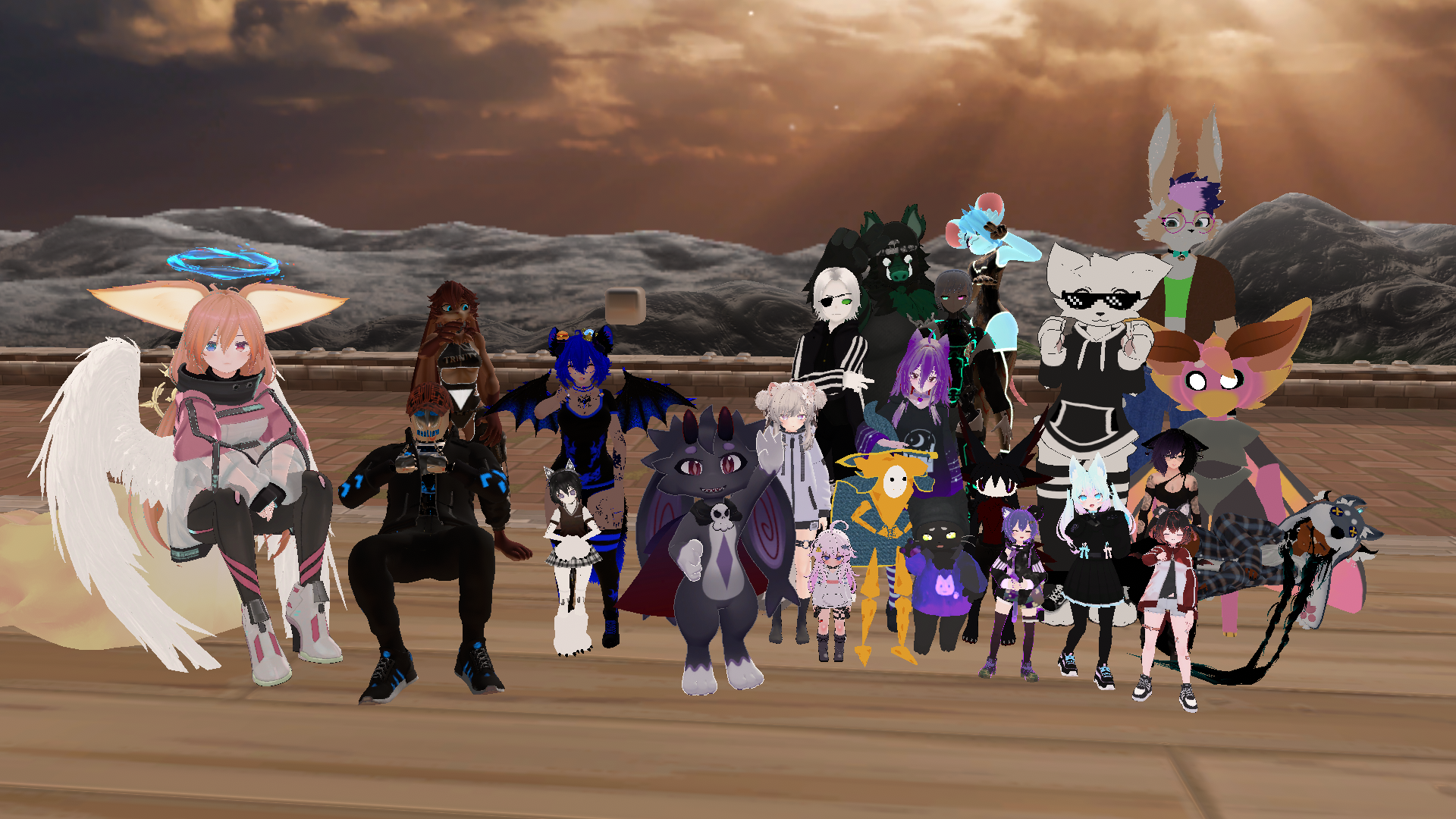 May 30th Monthly Patreon Meetup Group Photo
We are more than thankful for your support!
Not in our Discord server yet?
Use the link above to join our Discord server and get in touch with our wonderful community, find help with creation-related topics, and meet new people to play with!