Be prepared, long read, but worth your time!
Major Tower Simulator 3 Update 7 Now Available! We're excited to announce one of the most significant updates to Tower Simulator 3 since release!
This update introduces new Neural AI pilot voices, an optional AI-powered speech recognition mode, updated airports, a brand-new radio message log, easier bug reporting, and much more.
New Neural AI Pilot Voices
Tower Simulator 3 now features a new generation of pilot voices powered by Neural AI technology. Runs entirely on your PC. This update replaces the old voices.
No internet connection required
No subscriptions
No cloud processing
More natural and immersive radio communications.
If you find the radio background noise too strong, you can reduce it: Settings → Sounds → Speech Mode → Radio Low (Default is Radio High)

New Flexible AI Voice Recognition (Optional)
A brand-new Neural AI speech recognition engine has been added to the simulator. Just like the new voices:
Runs locally on your PC
No internet traffic
No data sharing
No subscriptions required
Important: The new recognizer is NOT enabled by default. Tower Simulator 3 will continue using the existing recognizer unless you choose to switch. To try the new system: Settings → Sounds → Recognizer Mode → Flexible AI
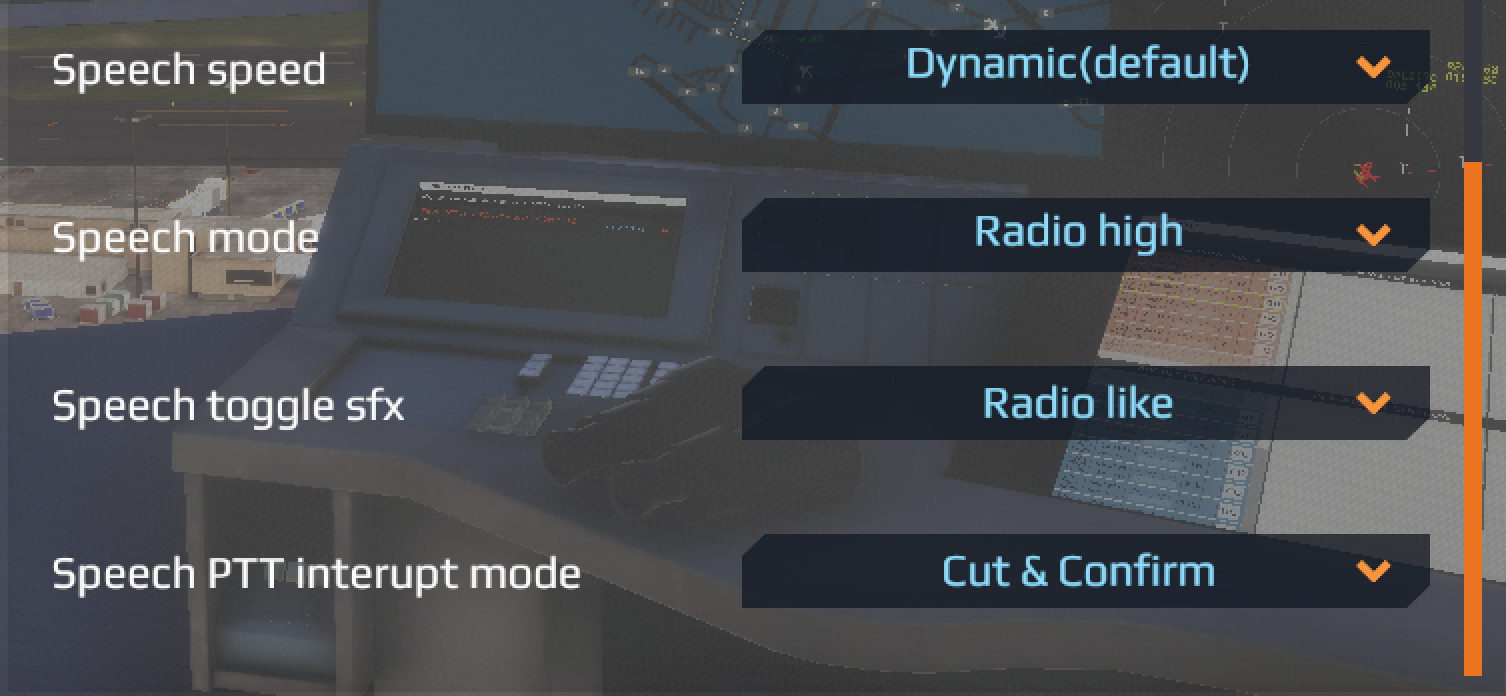
Speech PTT Interrupt Mode
🔉 Ducking = AI keeps talking, but quieter while you speak.
✂️ Cut and Confirm = AI pauses while you speak, then continues afterward.
🔄 Override + Repeat = AI stops and restarts the entire message after you finish speaking.
The new Flexible AI recognizer is a completely different recognition system than the legacy recognizer, so a small increase in response time can be expected depending on your PC. Because of that, some behaviors may feel different at first and there can definitely be a bit of a learning curve while getting used to it. If you prefer the faster response of the previous system, the Legacy recognizer is still available and can be selected at any time under:
Settings → Sounds → Recognizer Mode
New Radio Message Log
Radio communications can now be displayed directly inside the simulator, helping players follow conversations and verify transmitted instructions. The radio log appears in the upper-left corner. Customization options: Settings → Game
Radio Log Size
Radio Log Timer
Radio Log Zoom
Improved Bug Reporting
Submitting bug reports is now easier than ever. The in-game Pause Menu now includes:
Create Bug Report
This automatically gathers the required files and information into a package that can be sent to the team.
Please note: The report package is created automatically, but you will still need to zip and send the files manually.
Updated Default Airports
Several default airports have received updates and improvements as part of this release.
More details about airport updates can be found in the change-log channel over on Discord Server.
JustFlight Traffic Update Released
The long-awaited JustFlight Traffic update is also available from today.
View the complete JustFlight Traffic change-log here:
https://feelthere.com/wp-content/uploads/2026/06/JustFlight-Traffic-26.05.12.pdf
Thank you to everyone who participated in testing, provided feedback, submitted bug reports, and helped us improve the experience. We can't wait to hear what you think!