These patchnotes are for our Workshop Beta branch on steam. To learn how to access this beta build please visit: [dynamiclink href="https://store.steampowered.com/news/app/2217000/view/501718945006355551"]
Client
As a part of getting closer to leaving the beta phase for Workshop, we've been working behind the scenes to test base game functionality of the workshop client to ensure there hasn’t been any regression in stability. In today’s Workshop Beta version we’ve enabled the dedicated server which means match making queues and lobbies are available. We know that playing the base game isn’t really the focus of the "workshop beta” but we ask that if you do happen to be playing in matchmaking or lobbies on this build and run into issue please report anything and everything you find to our nolt board.
PLEASE BE AWARE if you play ranked in this build it WILL affect your real Elo, and we can not restore your Elo individually to account for crashes or other issues specific to this beta branch.
Note: We do not have a concrete timeframe for how long the server will be online for. We will post an update when they are taken down.
Documentation
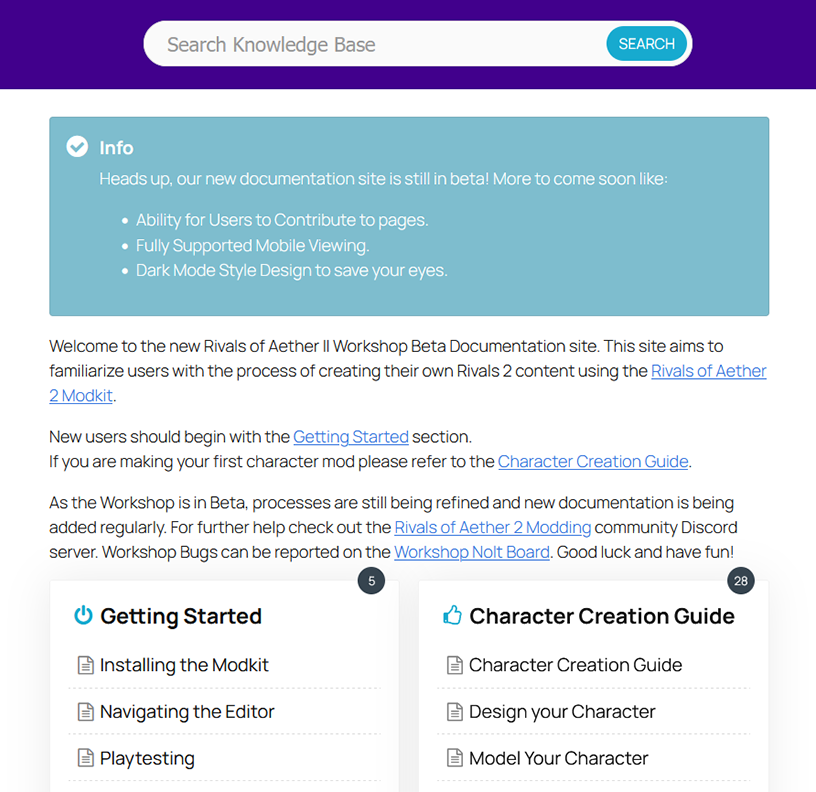
Brand new documentation website (in beta)!!!! https://rivals2.com/workshop
Note: We are still actively working on the contents of this. If you have any suggestions please let us know.
Known Issue: The mobile site is busted and will receive a hotfix later this week.
Editor
Fixed: Flipbooks assigned in Attack Data windows now route to the correct slot instead of all sharing “Attack”
Tweaked: Disabled Steam overlay in editor
Added: Multiple new Photobooth shortcuts
Capture Item Portrait
Open Skin/Palette in Photobooth
Fixed: Photobooth CSP capture crash
Fixed: Item and Character name being blank in modding tool ui after creation
Fixed: FMOD deploy script build option now functions properly
Added: FMOD deploy script now displays a list of all Banks present and allows users to only deploy specific bank(s) instead of every UGC bank deploying.
Added: FMOD script to automatically import audio file creating Events, Banks, etc
Note: In order for this import to work audio files must first follow the naming conventions mentioned in the audio documentation
Note: This will not set the volume of the imported sounds.
Tweaked: Item template animations now face correct direction
Tweaked: Item template PBC now has update camera offset to have better lighting on portrait
Tweaked: Default character SK file has correctly positioned capsule rotation and radius now
Tweaked: Initializing an item from the modding tool now creates a held window with bespoke anim instead of using idle for everything
Tweaked: Renamed default item Physics Asset to PH from SK
Note: If you are referencing the old asset you may need to fix up the reference
Tweaked: Renamed “Open Steam Workshop UI” to “Open Modding Tool UI”
Tweaked: Pointed “Workshop Documentation" website button at new documentation site
Tweaked: The “ArcadeModeData fix” process is now automated and no longer needed
Fixed: Workshop toggle will now appear in Arcade
Added: EnableArcadeMode (defaults to false) allows a modder to disable/enable their character in arcade mode.
This is mainly intended as a means to prevent unfinished content from causing negative reviews/crashes of mods
Tweaked: Steam preview image is now selected from a UTexture2d asset within Unreal instead of being a path on your computer
Note: If you create a UTexture2d asset named SteamPreview under the UnrealAssets directory, this image will be used as the preview image automatically and persist so you don't have to reset it every time.