If you encounter any bugs or issues, reporting them to our Discord server will be the best way to get the support you need. Join our Discord server
v3.1.7 Release Notes:
🆕 New Features
Steam Cloud Backup & Restore — Full System Overhaul
Automatic backup on app exit, with optional daily or weekly scheduled backups
On first launch with no local saves, DSX will prompt you to restore from an existing cloud backup
Manage your backups directly from the Settings page -> Behaviors: view backup details, restore, or delete them
Expanded Device Information
Completely redesigned device info card with richer hardware statistics for DualSense, DualSense Edge, and DualShock 4 controllers
Bluetooth RSSI and signal quality now shown in the Device Info and BT Audio/Haptics sections
New "Supported Device Features" card so you can quickly see what your controller supports
DualSense Edge Internal Profile System
Backend improvements for loading and saving profiles
Key Repeat Rate for Keyboard Actions
You can now configure the key repeat rate when using keyboard button mapping actions
Offline Cache / VirtualPad Expiry Reminders
The Home page now shows a card when your offline cache or VirtualPad license is expiring soon, letting you renew them without interruption
Improved Startup Experience
Faster app startup times
Extra guidance and error details are now shown if startup fails, so issues are easier to diagnose and resolve
🐛 Bug Fixes
Fixed touchpad processing bug when multiple controllers are connected simultaneously
Fixed duplicate devices showing up in the device list when connecting a controller
Fixed mute button LED state not reflecting correctly in certain situations
Fixed keyboard shortcut text boxes not refreshing correctly after switching profiles
\[BETA BRANCH]:
Beta build is using the same build as default branch
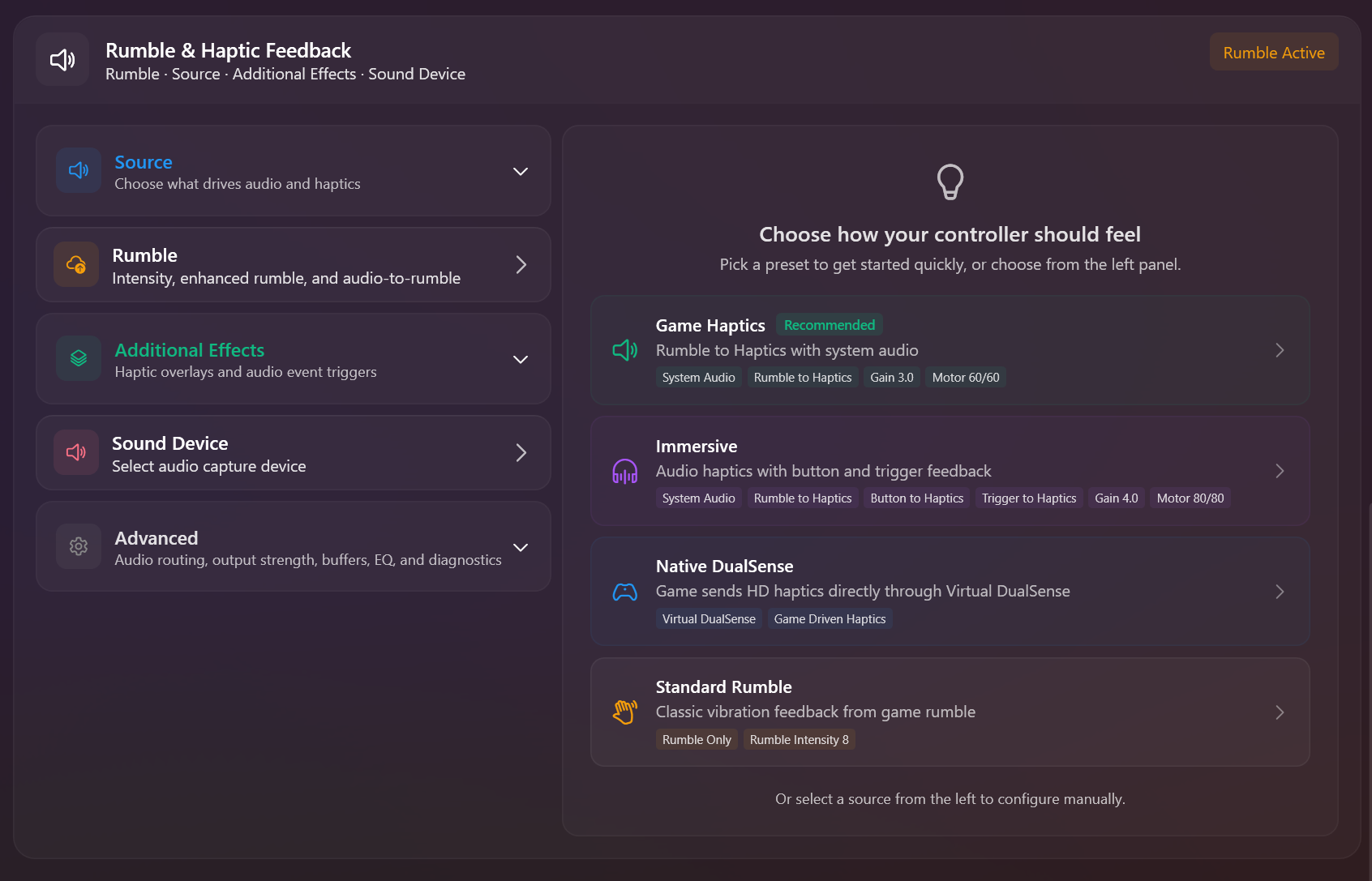
Audio/Haptics section teaser from v3.2:
IMPORTANT READ
Recently, we've received reports of Blue Screen of Death (BSOD) errors or PC crashes affecting some users. Please be assured that these issues are not related to DSX.
If you're encountering BSOD or crashes, we recommend uninstalling the Steam Xbox Extended Feature Support Driver as a troubleshooting step. Here's how:
Open Steam and navigate to Settings
Select Controller from the left menu.
Click Uninstall Xbox Extended Feature Support Driver
Restart your PC
Happy Gaming,
- Paliverse