Thank you to those who gave feedback on the recent "logic" additions, there were a lot of requests and suggestions. I tried to address as many of these as I could, but there are probably still enough left over to fill up a whole other update (not even including Stage 2 or 3 - see GearBlocks 0.7.9398 blog post).
I will continue working on these logic features, but I think from now it'll probably be mixed in with other stuff, as I want to move on to other areas of the game that need work.
I'll expand briefly on the main changes now, but as always check out the release notes for a comprehensive list.
"Loop-back" Links
For some parts, it is now possible for a data link to be created between their own output and input nodes. These parts being the following logic modules:-
- Boolean Operator & Multi-Operator.
- Number Expression.
- Number Operator.
This means that an output can be fed back as one of the inputs, creating a feedback loop.
Type Conversion
Data links can have channels of either Boolean or Number type. When overriding a part behaviour control or tweakable, only data channels of matching type could be used.
To override a Boolean value with a Number data channel, it would first have to be "converted" to Boolean using a Number Comparator. Conversely, to override a Number value with a Boolean data channel, a Number Selector would have to be used.
Now, implicit type conversion has been implemented, which allows for control or tweakable overrides by data channels of difference types. The conversion is done with the following mapping:-
- Boolean to Number: true / false -> 1 / 0.
- Number to Boolean: if non-zero, true, else false.
When an implicit type conversion is available it is indicated by "TYPE CONVERSION" in the UI dropdown.
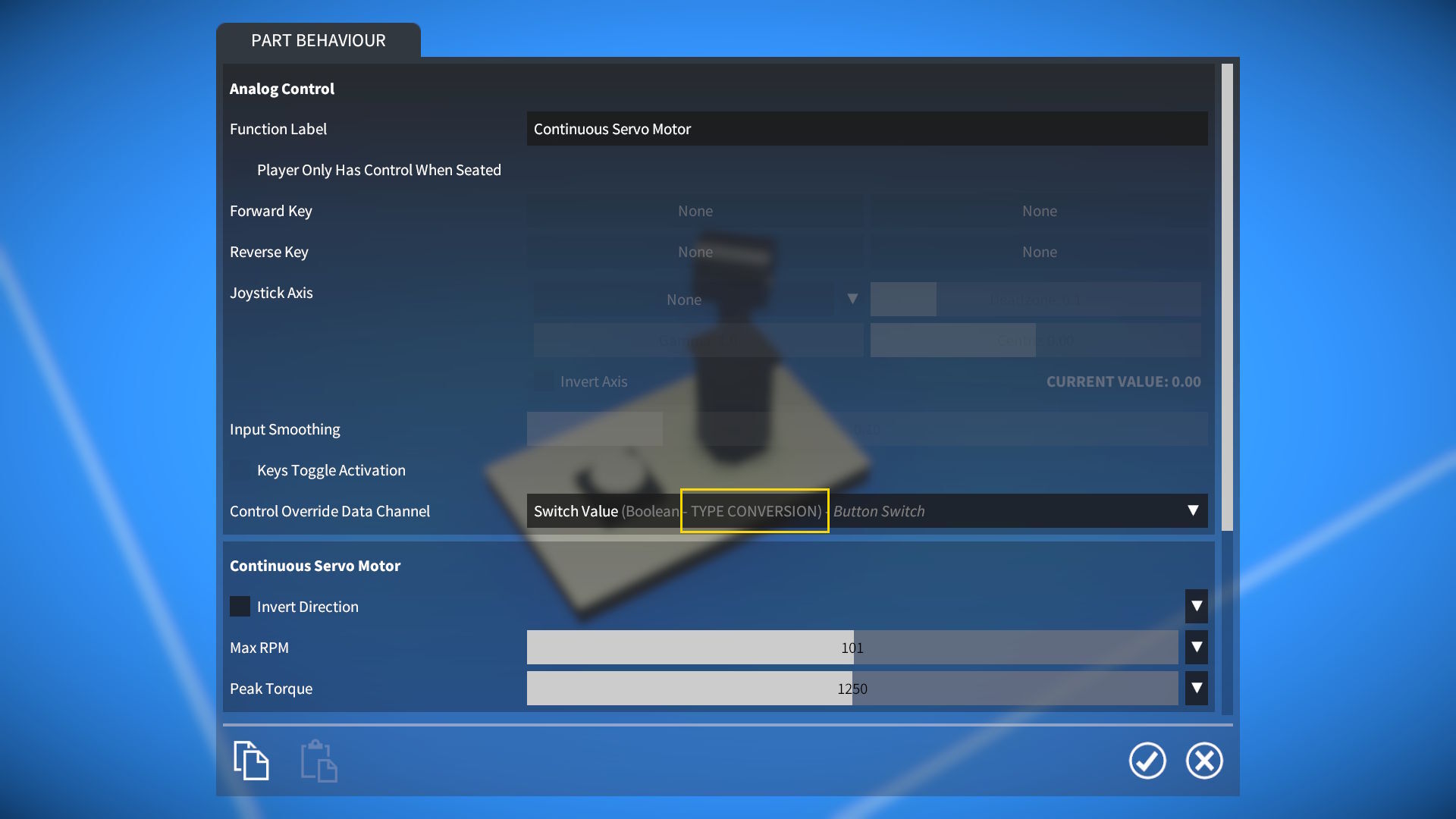
Note that a Number Comparator or Number Selector is still necessary if you need more control over how the converted type values are mapped.
Also, in some cases when controlling parts with Number inputs (e.g. motors or brakes), you may want to ramp up from 0 to 1 (rather than an immediate jump), in which case a Number Selector and Number Smoother would be recommended.
Number Expression Comparison and Conditionals
Support for number comparison and "if / then" logic has been implemented:-
- Comparison operators: ==, !=, <, <=, >, and >=. If the comparison is true, returns 1, else returns 0.
- Conditional if(a, b, c) function. If a is non-zero, returns b, else returns c.
For example,
if(x > 5, y, z * 10)would now be a valid expression.
Some of you have requested to add more inputs for the Number Expression, but I'm holding off on doing this for now to avoid making it too cluttered.
At some point I'd like to add support for data channels and tweakables of type Vector, at which point I'll probably add some Vector inputs to the Number Expression. I think this would be a cleaner way to get more input values in there.
New Logic Parts
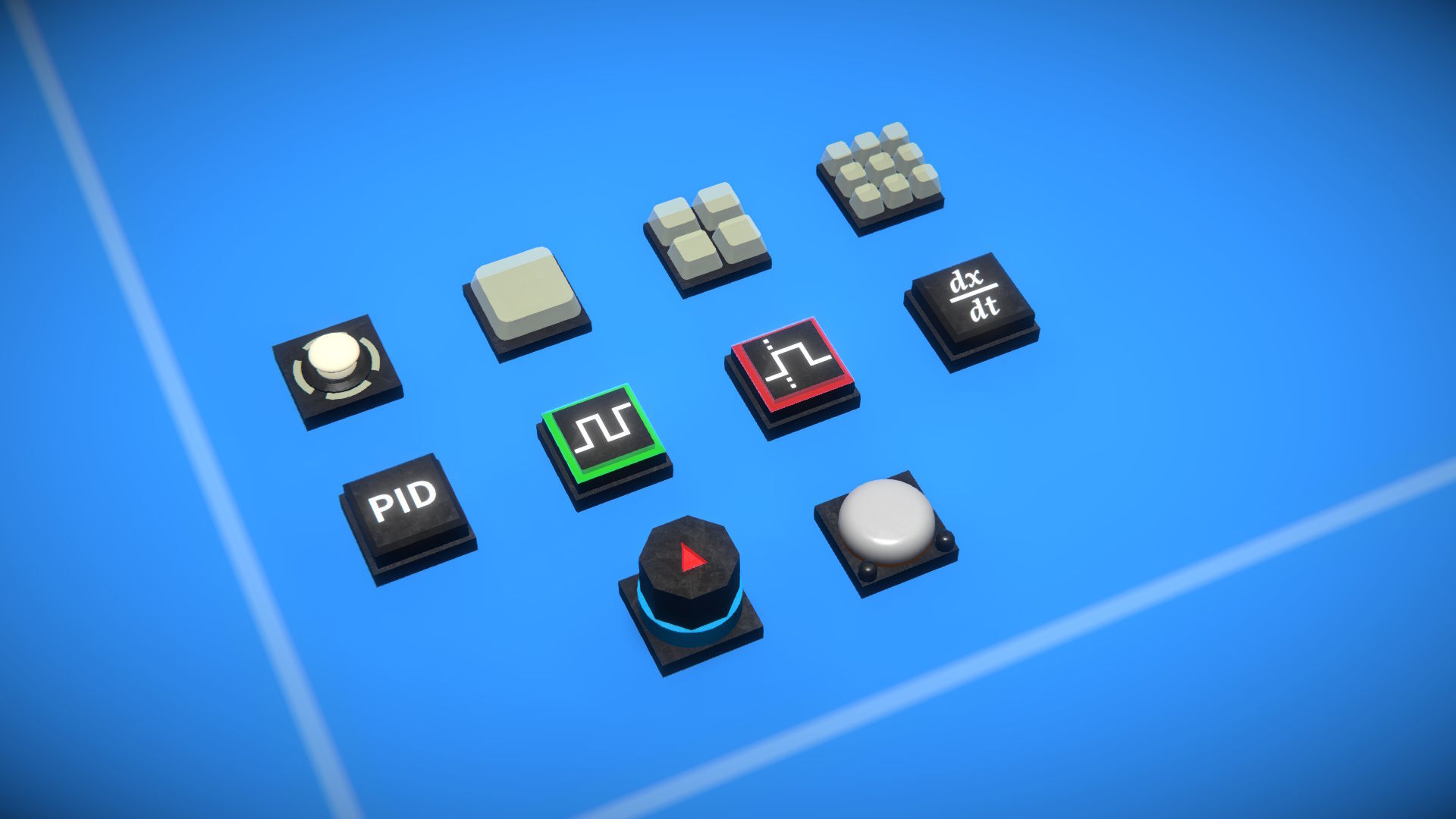
Keyboard & Joystick Control
- Keypads (1, 4, and 9 key). Up to nine Boolean outputs, triggered by keys and / or joystick buttons.
- Joypad. Dual axis, with two Number outputs, controlled by keys and / or joystick axes.
Advanced Logic Modules
- PID (Proportional-Integral-Derivative) Controller. Outputs a Number control value that can be used to move an input towards a target value.
- Pulse Generator. Outputs a Boolean signal, cycling true / false at a chosen period.
- Edge Detector. Outputs a Boolean signal that is true for a short while after a transition is detected in the Boolean input.
- Number Calculus. Outputs the derivative or integral over time of the Number input value.
Sensors
- Inertial. Outputs rotation rates, and velocities & accelerations, around / along individual axes.
- GPS Receiver. Outputs latitude, longitude, and altitude.
UI Overlays
A new OVERLAYS panel has been added to the GAME options screen with settings to disable in-game UI overlays.
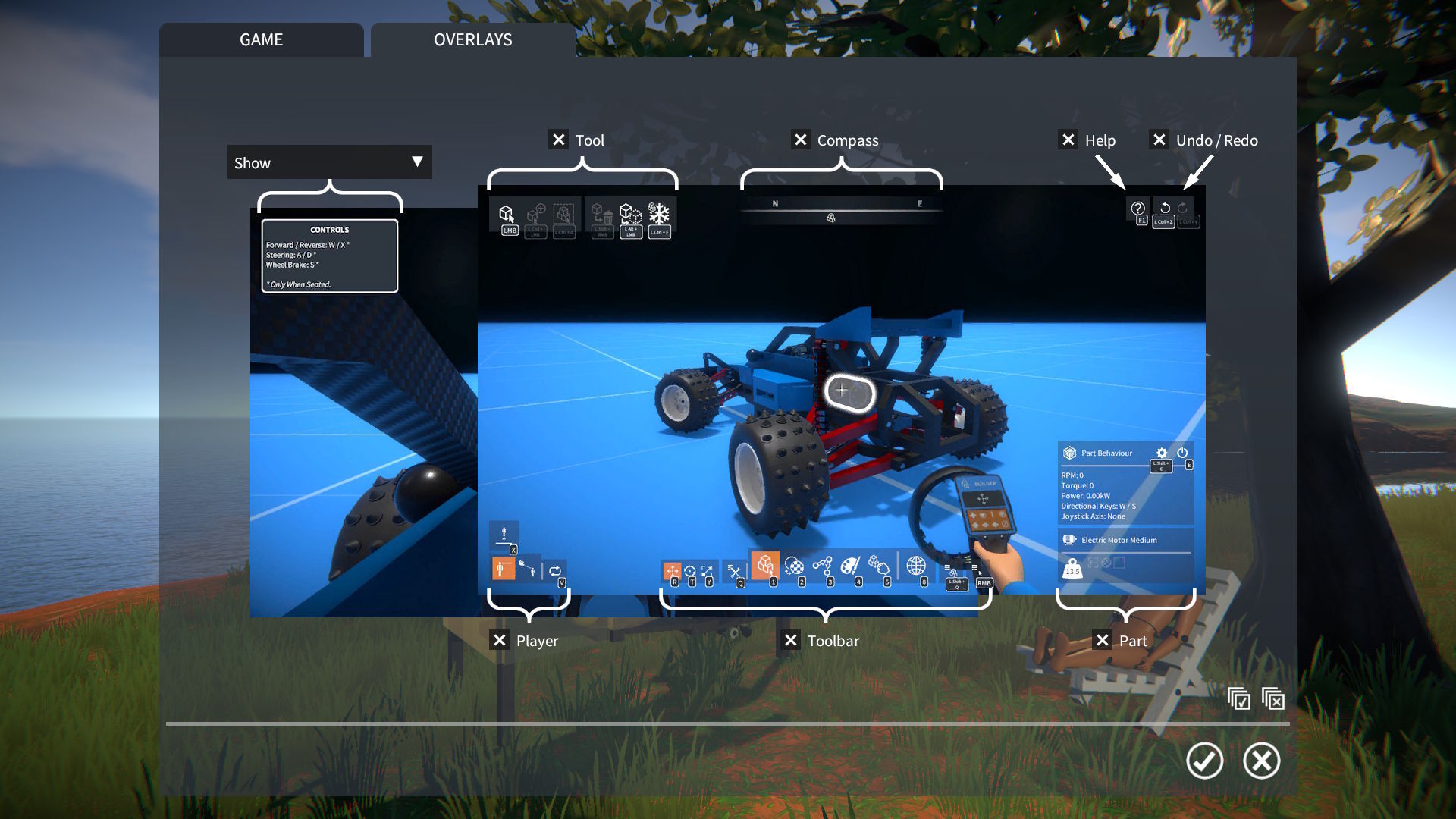
This includes an optional time-out to hide the "construction controls" overlay, configured in OVERLAYS panel.
I have removed the ToggleOverlays script mod, as it is no longer needed, but I will upload it to the workshop for reference.
64-bit Build
This update now comes as a 64-bit Windows build, something long overdue that I've been meaning to set up for ages.
On my dev machine I'm seeing more than 20% frame rate increase in the tutorial scenario vs. the 32-bit build, so I'm hoping it will improve performance for a lot of people.
Release notes:-
- Added support for "loop back" links (i.e. a part linking to itself) for Boolean Operator & Multi-Operator, Number Expression, and Number Operator logic modules.
- Added implicit type conversion between part behaviour data channels and control or tweakable overrides of difference types.
- Added number comparison and "if / then" support to Number Expression logic module:-
- Comparison operators: ==, !=, <, <=, >, and >=.
- if(a, b, c) function.
- Comparison operators: ==, !=, <, <=, >, and >=.
- New parts:-
- Keypads (1, 4, and 9 key).
- Joypad.
- Logic modules:-
- PID Controller.
- Pulse Generator.
- Edge Detector.
- Number Calculus.
- PID Controller.
- Sensors:-
- Inertial.
- GPS Receiver.
- Inertial.
- Keypads (1, 4, and 9 key).
- Added more part behaviour tweakables:-
- Control and Control Joystick: adjust mouse sensitivity.
- Number Register: reset its stored value back to zero.
- Accelerometer Sensor: total or linear acceleration mode.
- Labelled Plate: text font.
- Control and Control Joystick: adjust mouse sensitivity.
- More part behaviour tweakables now overridable:-
- Number Filter: cutoff frequency.
- Ratchet: invert locking direction.
- Motors and linear actuator: invert direction.
- Number Filter: cutoff frequency.
- For controllable parts the "invert direction" tweakable now takes effect even when key / joystick control is overridden by a linked data channel.
- Added "position" data channel to Spring Damper part behaviour.
- Added text label to button switch.
- UI Overlays:-
- Added OVERLAYS panel to GAME options screen with settings to disable in-game UI overlays.
- Implemented optional time-out to hide "construction controls" overlay, configured in OVERLAYS panel.
- Removed ToggleOverlays script mod, as it is no longer needed.
- Added OVERLAYS panel to GAME options screen with settings to disable in-game UI overlays.
- Bug fixes.
- Upgraded to Unity 2022.3.62f3.