Please make a manual backup of your save data for the Steam version DLC “Twilight Railway”
We are planning an update for the DLC “Twilight Railway”, which will include the addition of English and Thai language support, as well as various bug fixes. The update schedule has not yet been decided, but we will inform you once everything is ready!
There is a possibility that your save data may be lost during the update. We apologize for the inconvenience, but please make sure to manually back up your current save data.
How to back up your save data
In your Steam Library, right-click on “Saihate Station” and select Manage.
Click Browse local files.
Open the folder named “DLCtasogare”.
For Windows: Copy the save folder located inside the game folder.
For Mac:
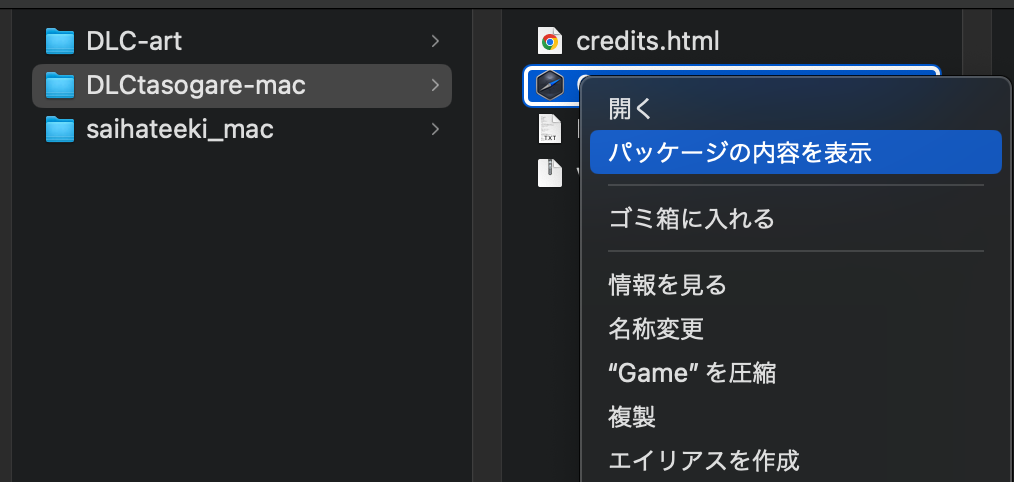
Right-click on Game.app and select Show Package Contents.
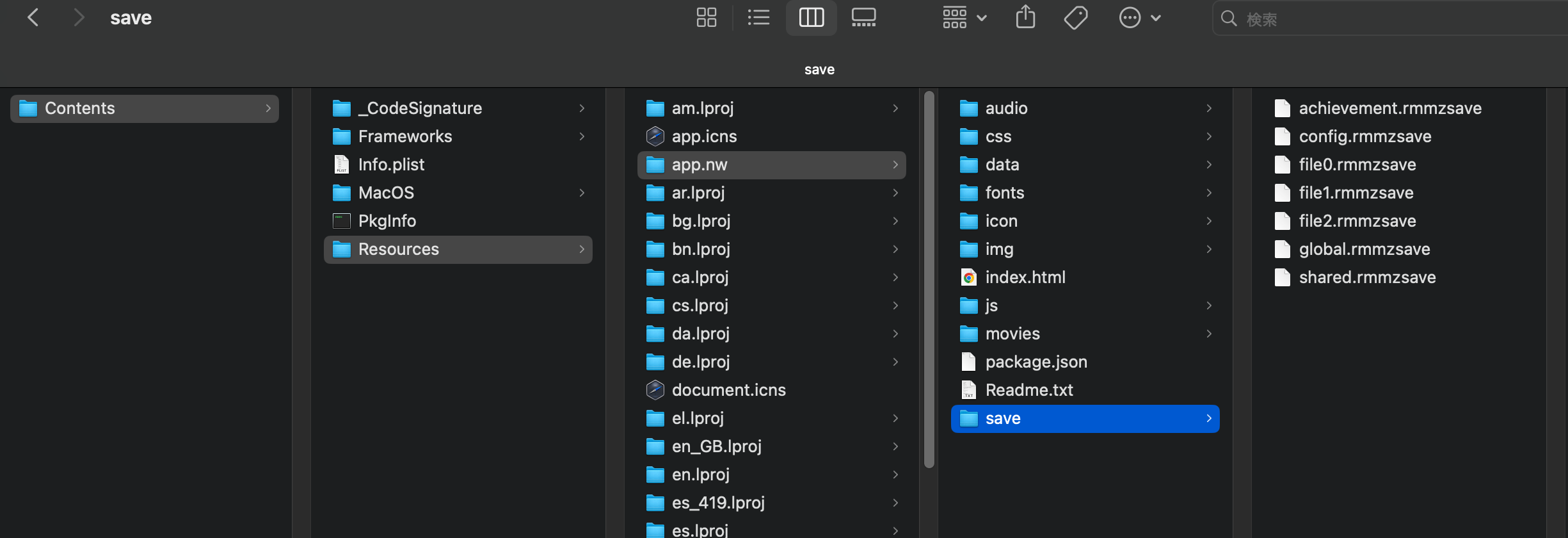
Follow the reference image to navigate to the save folder, and copy it to a safe location.