Progress has been slowed by a couple rounds of sickness, burn out with the project, last minute bugs, etc. but excuses aside, on to the update!
Logic Plan
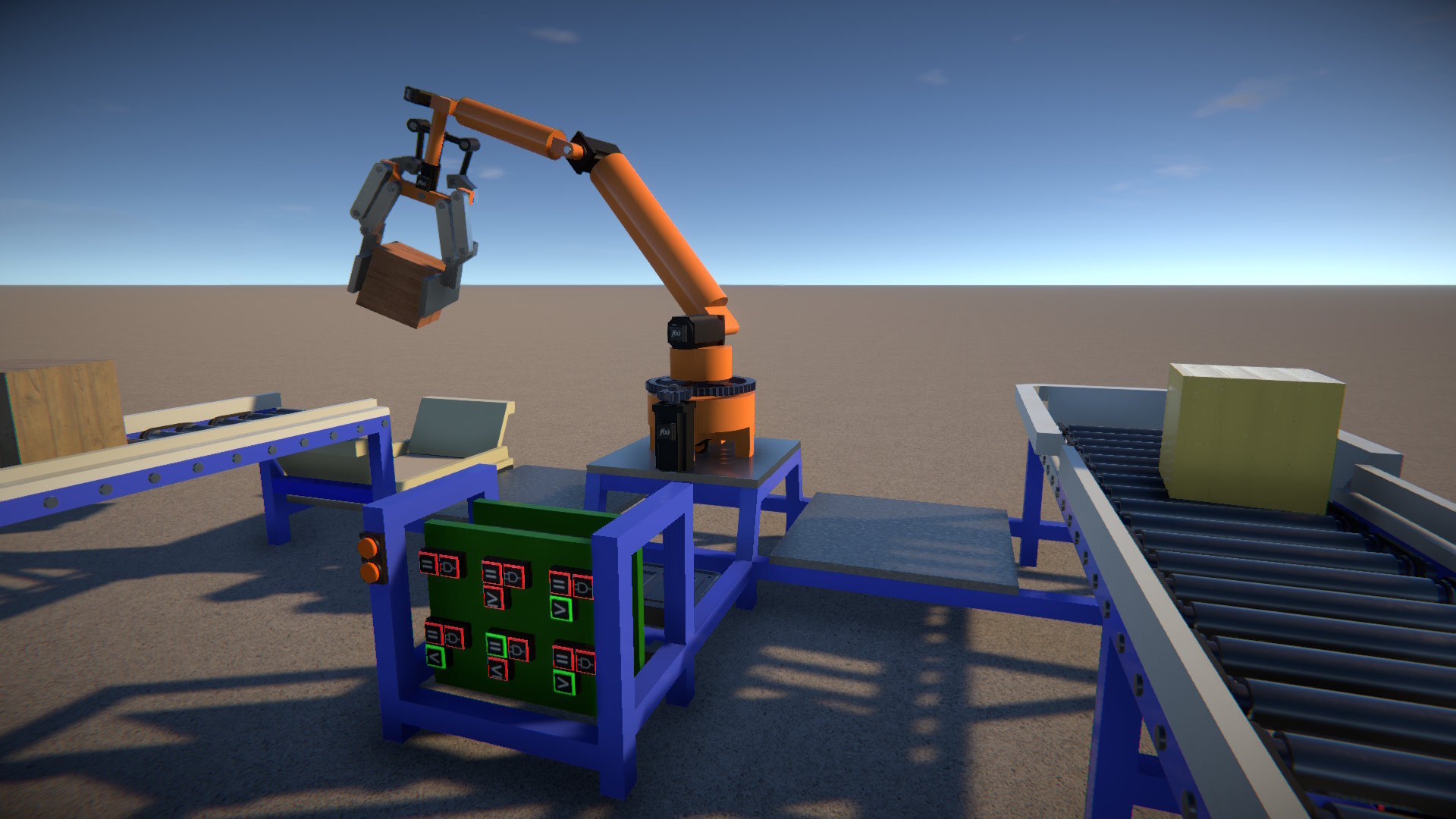
The focus for this update has been on adding "logic" to the game. With some helpful input from the community, I settled on a three stage plan for this.
Stage 1
Based on using "physical" parts connected together with the linker tool, exposing data channels to transfer information between them. In fact, sensors and other parts can already be linked to display screens in this way, and Stage 1 simply builds on this approach.
New parts for this include switches, controls, sensors, and logic modules.
Stage 2
Continues on from Stage 1 by adding a new "micro-controller" part that is linked to other parts such as sensors etc. in the same way as other logic modules.
However, rather than provide a single function, it would allow for more complex logic internally without requiring lots of "physical" parts and links. It would provide a 2D node graph editor for its part behaviour UI, available nodes used in the graph would replicate the physical basic logic parts (while also perhaps adding additional functions).
Stage 3
A programmable "computer" module, again it would be externally linked to other parts but would allow the user to write custom Lua code to process these inputs and generate output data.
Progress So Far
So far I have only completed Stage 1, and I understand some may be disappointed with this, as it does have a few drawbacks. Some logic designs can require quite a few parts, taking up space in your creations, and the links can become cluttered and hard to navigate in 3D space.
The micro-controller in Stage 2 would address these problems, but would be rather more involved to implement (due to the node graph editor UI), so I decided to leave it for now. My intention is not really for people to be creating super complex logic in GearBlocks, as the focus remains on the mechanical elements that are the core of the game. However, if there's sufficient demand to put more emphasis on logic, then I will look into implementing the micro-controller.
Actually, it would be much quicker for me to implement Stage 3's Lua module, as the UI for it would be simple, so I'm very tempted to do this first. Let me know if this is something you'd be interested in!
Linker Tool Improvements
Given the increased use of linking needed for building logic in the game, I've made some changes to try and improve usablility and reduce frustration:-
- Changed link indicators in an attempt to make them clearer.
- Links can now be "targeted", and can then be deleted by holding Left Shift + Right Mouse Button.
- Links can now be created by clicking and dragging in either direction between link nodes.
- Links associated with any node can now be deleted (by targeting the node and holding Left Shift + Right Mouse Button).
- Links are no longer lost when moving a part selection (as long as the parts remain attached to the same construction).
Data Source and Reader
With that preamble out of the way, how is logic actually put together in the game?
- Some parts are a "data source" and have an output data link node, others are a "data reader" and have an input data link node (and some are both source and reader and have both input and output link nodes).
- Links can be created between the output and input link nodes of data source and data reader parts.
- A data source has one or more data channels. Each channel can either be of Boolean or Number type.
- A data reader has access to the data channels of its linked data sources, and these channels can be used in part behaviours.
In this way the output(s) of one or more parts can be passed to the inputs of another part. Logic systems can be built up by creating a network of links between source parts and readers.
Having a separate link node for every data channel is not feasible due to "physical" space constraints on parts (some have more than half a dozen output channels). So multiple data channels are combined into one data link between source and reader.
However this means that some other way of choosing data channels is needed, and so this is done in the part behaviour UI.
Part Behaviour Control Override
A linked data channel can be used to override key & joystick control. For example, linking a Button Switch to a light makes the Switch Value Boolean data channel available in the light's part behaviour UI. Once selected for override, the light is controlled by the switch.

Note that for "triggerable" parts such as lights, only a Boolean data channel can be selected for override. Whereas for a part that has analog control (such as a motor), only a Number data channel can override control.
Part Behaviour Tweakable Override
A linked data channel can also be used to override a part's "tweakable" (an editable value in the part behaviour UI). For example, linking a Rotary Knob Control to a light makes the Control Value Number data channel available, which can be used to override the light's Brightness tweakable. This is then controlled by the rotary knob.

Note that for a data channel to override a tweakable, their data types (Boolean or Number) must match.
Data Source Labelling
When multiple data sources are linked to a data reader part, it can sometimes be hard to distinguish between them when choosing a data channel.
To help with this, each data source can be given a unique label. Open up the part's behaviour UI, and type in a label for easier identification.
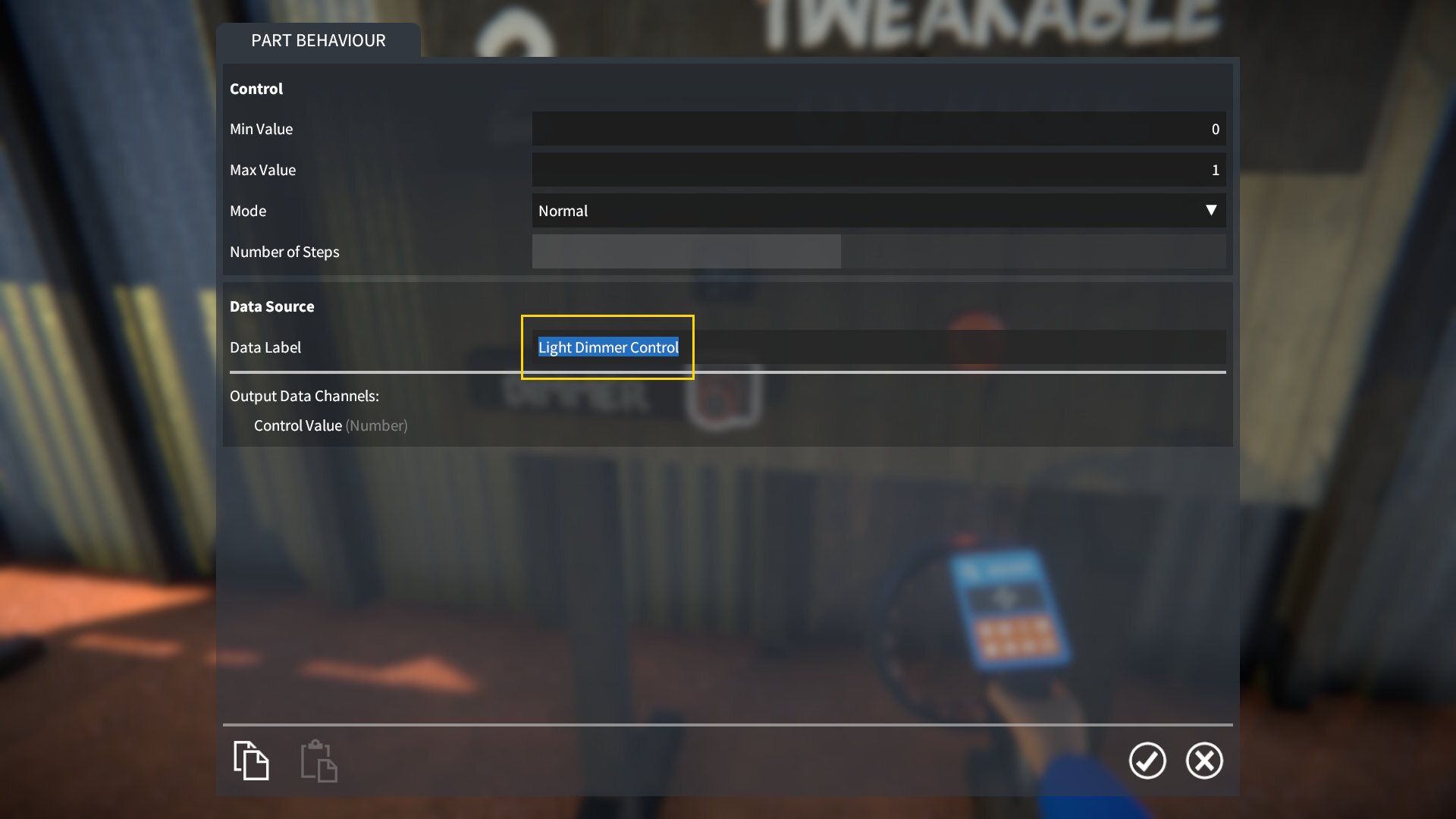
This label then appears when choosing a data channel in a linked part.
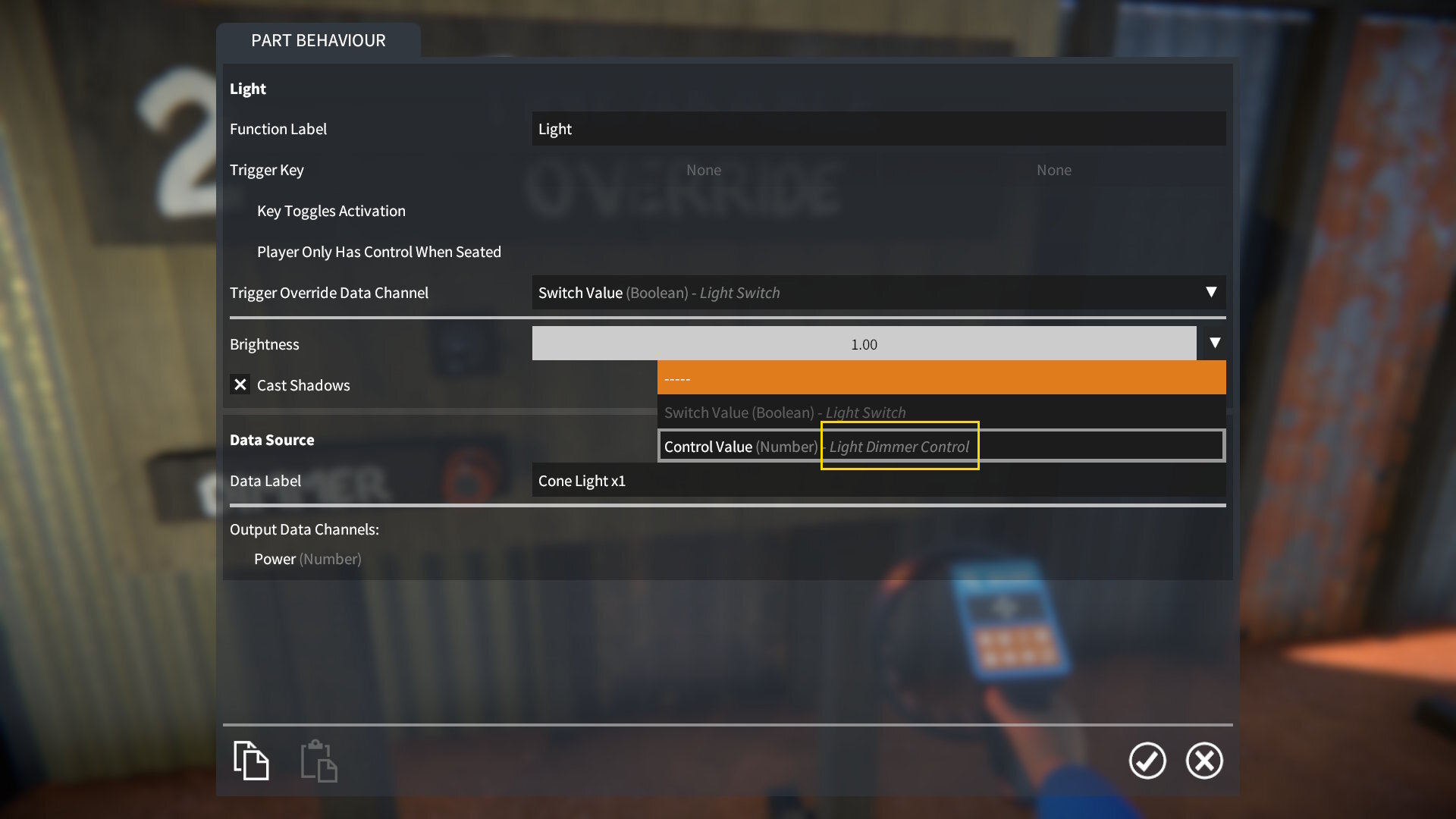
New Parts For Logic
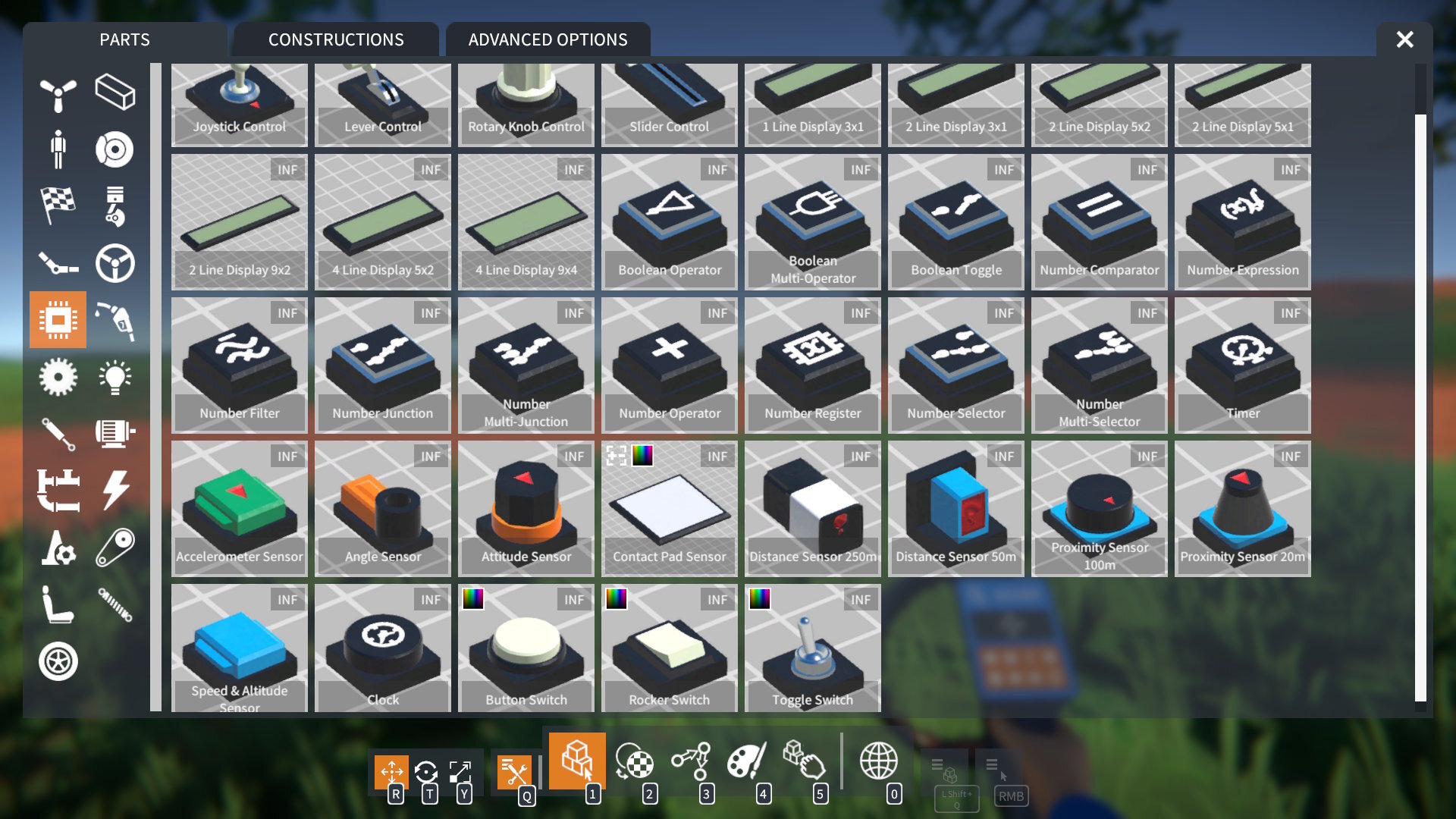
Many new parts have been added for building logic in the game, here's a brief description of them.
Switches
- Types: button, rocker, and toggle.
- To use: target the switch and press E.
- Modes: momentary or latching.
- Data channel: Switch Value - Boolean.
Controls
- Types: lever, slider, rotary knob, and joystick.
- To use: target the control, hold E, and move the mouse.
- Modes: normal, auto-centre, or stepped (free or auto-centre for joystick).
- Data channel: Control Value - Number (X Value and Y Value for joystick).
Sensors
- Contact Pad Sensor:-
- Is Contacted (Boolean) data channel set to true when something contacts it.
- Optionally lights up on contact.
- Is Contacted (Boolean) data channel set to true when something contacts it.
- Distance Sensor:-
- Distance (Number) data channel contains distance to target.
- Is Triggered (Boolean) data channel set to true when distance changes, with adjustable cool-down time between triggers.
- Distance (Number) data channel contains distance to target.
- Proximity Sensor:-
- Finds distance and direction to nearest object.
- Distance, Heading, and Elevation (Number) data channels contain these values.
- Option to detect only players or only constructions, detects all by default.
- Finds distance and direction to nearest object.
- Clock:-
- Outputs time based on the current "time of day", as set in the scene settings.
- Time (Number) data channel contains time in hours, including the fractional part.
- Hours, Minutes, and Seconds (Number) data channels contain whole number values of these.
- Outputs time based on the current "time of day", as set in the scene settings.
Logic modules - Boolean Output
- Boolean Operator & Multi-Operator: Applies an Operator (NOT, AND, OR, etc.) to Boolean Input Values and outputs the result.
- Boolean Toggle:-
- When the Toggle (Boolean) input changes from false to true, the toggle's current value is flipped.
- Outputs its current value.
- When the Toggle (Boolean) input changes from false to true, the toggle's current value is flipped.
- Number Comparator: Compares two Number Input Values with an Operator (Equal, Greater Than, Less Than, etc) and outputs the result.
Logic modules - Number Output(s)
- Number Operator: Applies an Operator (Add, Subtract, etc.) to two Number Input Values and outputs the result.
- Number Expression: Applies a custom numerical expression (with many available operators and functions) to Number Input Values and outputs the result.
- Number Filter: Applies a low or high pass filter (with adjustable cutoff) to a Number Input Value and outputs the result.
- Number Selector & Multi-Selector:-
- Uses a Selector input to choose between multiple Number Input Values.
- Outputs the chosen value.
- Uses a Selector input to choose between multiple Number Input Values.
- Number Junction & Multi-Junction:-
- Uses a Selector input to choose an Output Value data channel to send a Number Input Value to.
- All other outputs are set to zero.
- Uses a Selector input to choose an Output Value data channel to send a Number Input Value to.
- Number Register:-
- When the Boolean Store input changes from false to true, the current Number Input Value is stored.
- Also has Boolean inputs to trigger incrementing / decrementing of the stored value.
- Outputs the current stored value.
- When the Boolean Store input changes from false to true, the current Number Input Value is stored.
- Timer: Outputs Time in seconds since last reset, with Boolean Is Running and Reset inputs.
Logic Lab Scenario
There's a new scenario called "Logic Lab" which serves as an introductory demonstration of switches, sensors, and using logic modules to control behaviour in constructions.
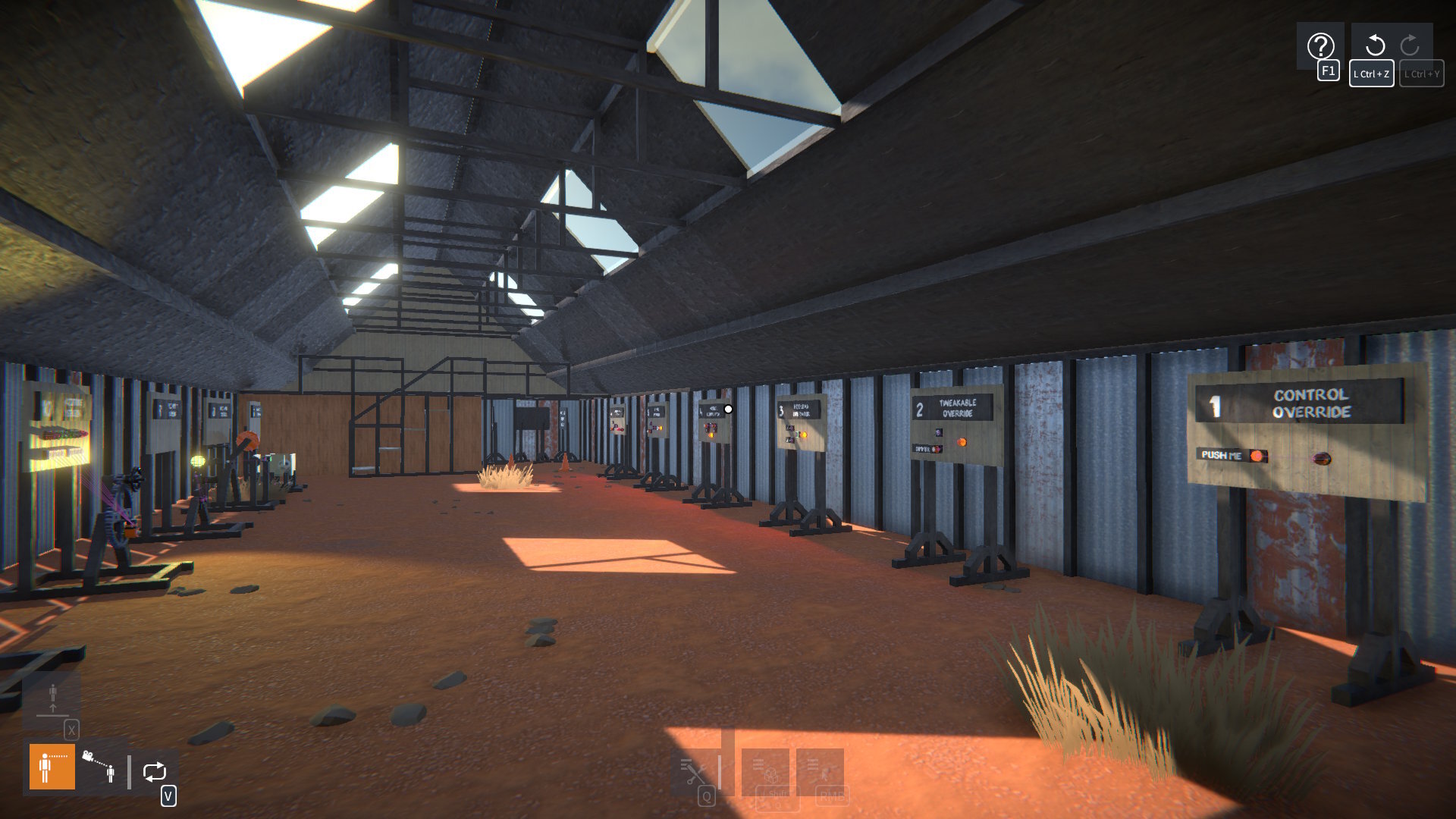
This scenario also has an "Automotive Ideas" shed with some examples of logic that could be applied to vehicle creations.
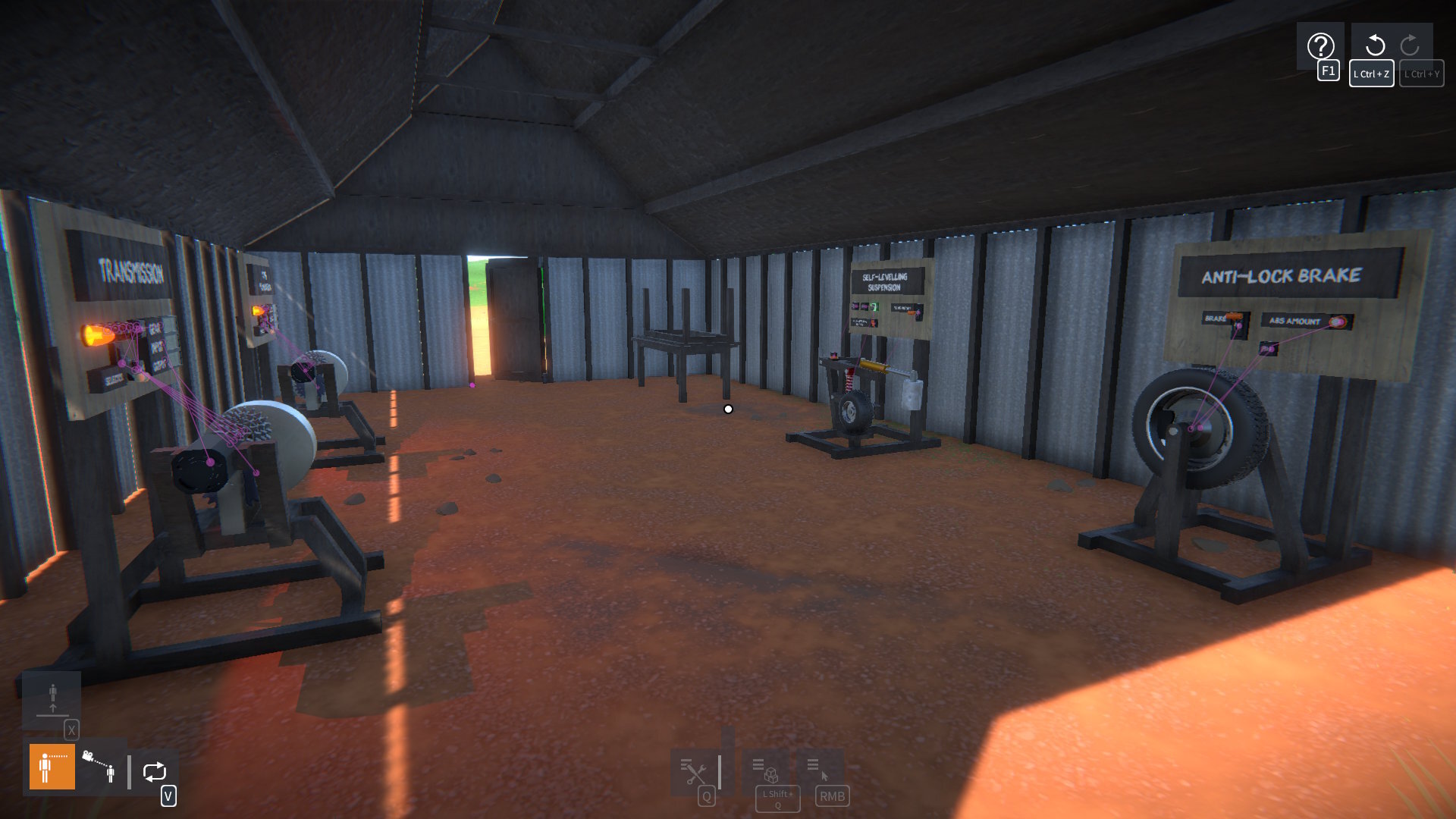
And there are some examples of digital circuits to check out too.
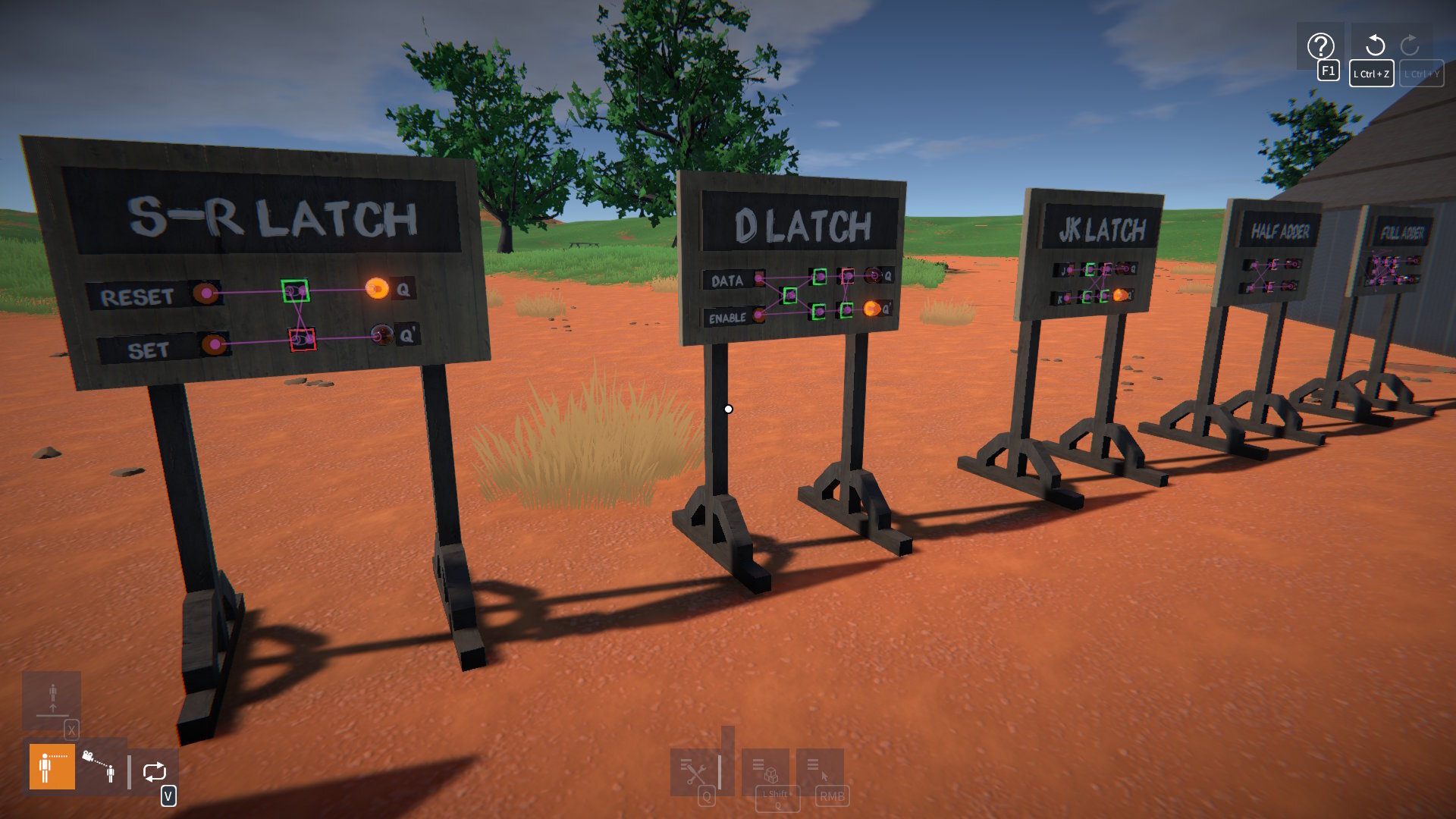
Note that this scenario is more of a demonstration than a full tutorial. Once you've played through it, I'd advise loading it as a scene so you can pick it apart to see how everything is put together!
Unity Upgrade and Physics Performance
I've upgraded the game from Unity 2021.3 to 2022.3, which is the last LTS version before Unity changed back to numbered versioning. The most recent LTS version is 6.0, I tried upgrading to this but it broke the gear physics constraints. I didn't have time to get to the bottom of it, but I may revisit this in the future.
However, moving to 2022.3 is enough to open up a pathway to future physics performance optimisations, such as jobifying update code and improving collision contact processing. In fact, just the upgrade alone already gives a performance boost for collision contacts, this should be noticeable particularly for larger creations.
In Summary
The new logic parts can be combined in ways that should open up a lot of possibilities. More control is now possible over creations, and all kinds of cool behaviours can be created, I can't wait to see what the community does with this!
Release notes:-
- Linker tool improvements:-
- Changed link indicators in an attempt to make them clearer.
- Links can now be "targeted", and can then be deleted by holding Left Shift + Right Mouse Button.
- Links can now be created by clicking and dragging in either direction between link nodes.
- Links associated with any node can now be deleted (by targeting the node and holding Left Shift + Right Mouse Button).
- Links are no longer lost when moving a part selection (as long as the parts remain attached to the same construction).
- Changed link indicators in an attempt to make them clearer.
- Part behaviours:-
- Key & joystick control is now overridable by linked data channels.
- Tweakables are now overridable by linked data channels.
- Key & joystick control is now overridable by linked data channels.
- New parts:-
- Button, rocker, and toggle switches.
- Lever, slider, rotary knob, and joystick controls.
- Logic modules:-
- Boolean Operator & Multi-Operator.
- Boolean Toggle.
- Number Comparator.
- Number Operator.
- Number Expression.
- Number Filter.
- Number Selector & Multi-Selector.
- Number Junction & Multi-Junction.
- Number Register.
- Timer.
- Boolean Operator & Multi-Operator.
- Sensors:-
- Contact Pad.
- Distance.
- Proximity.
- Clock.
- Contact Pad.
- Clutch gears 10T, 14T, 18T, and 22T.
- Button, rocker, and toggle switches.
- New Logic Lab scenario.
- Input improvements:-
- "Hold Key for Menus" in CONTROLS options now off by default.
- When "Hold Key for Menus" is off, the keys used to open the tool and construction UIs will now toggle them closed again.
- Changed key binding implementation so that only shift, control, and alt keys are allowed as modifier keys, but now multiple modifiers can be set.
- Added shortcut key for adding the targeted construction to the selection, with a default binding of Left Shift + Left Control + A.
- Keys to change selected tool or manipulator now work while holding other keys (e.g. for player movement).
- "Hold Key for Menus" in CONTROLS options now off by default.
- Lua scripting:-
- Added GetBehaviour() method to IPart to get a part's behaviour by name.
- BREAKING CHANGE:-
- Data channels are no longer available from all behaviours in a part's Behaviours list.
- Instead, some parts now have a specific "data source" behaviour containing the data channels, accessible via part.GetBehaviour( 'Data Source' ).
- See the PartBehaviourGraph Lua script for an example of how to access data channels now.
- Data channels are no longer available from all behaviours in a part's Behaviours list.
- BREAKING CHANGE: Replaced PrimaryModifierKeyName and SecondaryModifierKeyName properties in InputActionProxy with PrimaryModifierKeyNames and SecondaryModifierKeyNames respectively.
- BREAKING CHANGE: Renamed actionID_Activate to actionID_Use (e.g. as used in InputActions.GetBinding()).
- Some properties in ILinkNode interface are now deprecated (refer to Lua scripting documentation to see available properties).
- New "number field" UI element, like an input field but for numbers only (use IElementFactory.CreateNumberField() to create from Lua).
- Added param to AddOption() methods in IDropdown for making UI "dropdown" options be non-selectable.
- Added param to CreateAttachment() methods in IAttachmentOperations to optionally snap attachment owner and connected positions together.
- Added GetBehaviour() method to IPart to get a part's behaviour by name.
- Bug fixes.
- Upgraded to Unity 2022.3.62.