Previously, this problem did not occur; however, there is currently an issue where the pause screen is not appearing in Windows 11. We are investigating the cause and will strive to resolve it as quickly as possible.
※Note: Current Solution
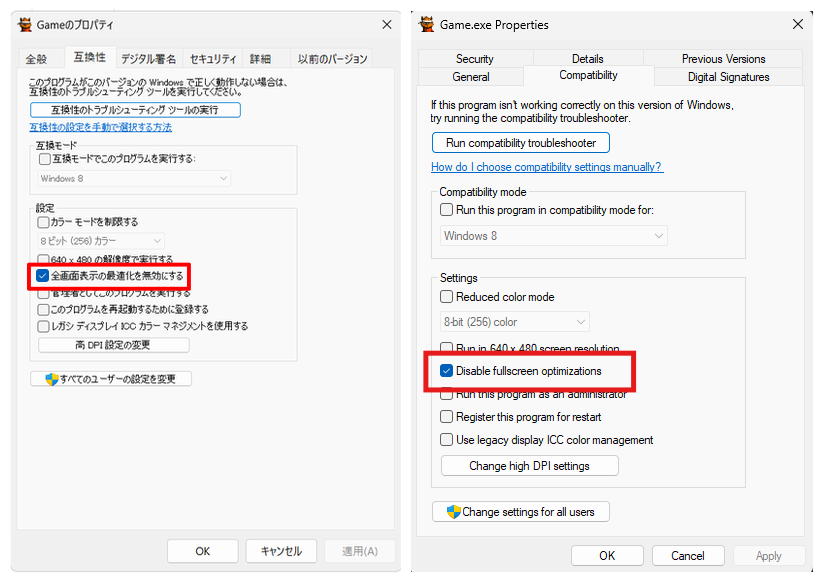
It appears that opening the local folder of Kanta 2, accessing the properties of the executable file, and checking the box for "Disable fullscreen optimizations" under the "Compatibility" tab may resolve the issue. If you are a Windows 11 user, please try this.
https://x.com/Kyanta2EN/status/1968346159623422389