Lately I've been receiving an increased amount of questions regarding not being able to run "Booth" on a Mac.
I studied the problem and found that it was due to newer MacOS having a stricter security policy with downloaded software and "Booth" being a game made with a pretty old version of GameMaker.
To solve the "Booth Is Damaged and Can’t Be Opened. You Should Move It To The Trash." problem, follow these steps:
1. Open "Booth.app" once either through Steam or directly from local files (and the above warning message will show).
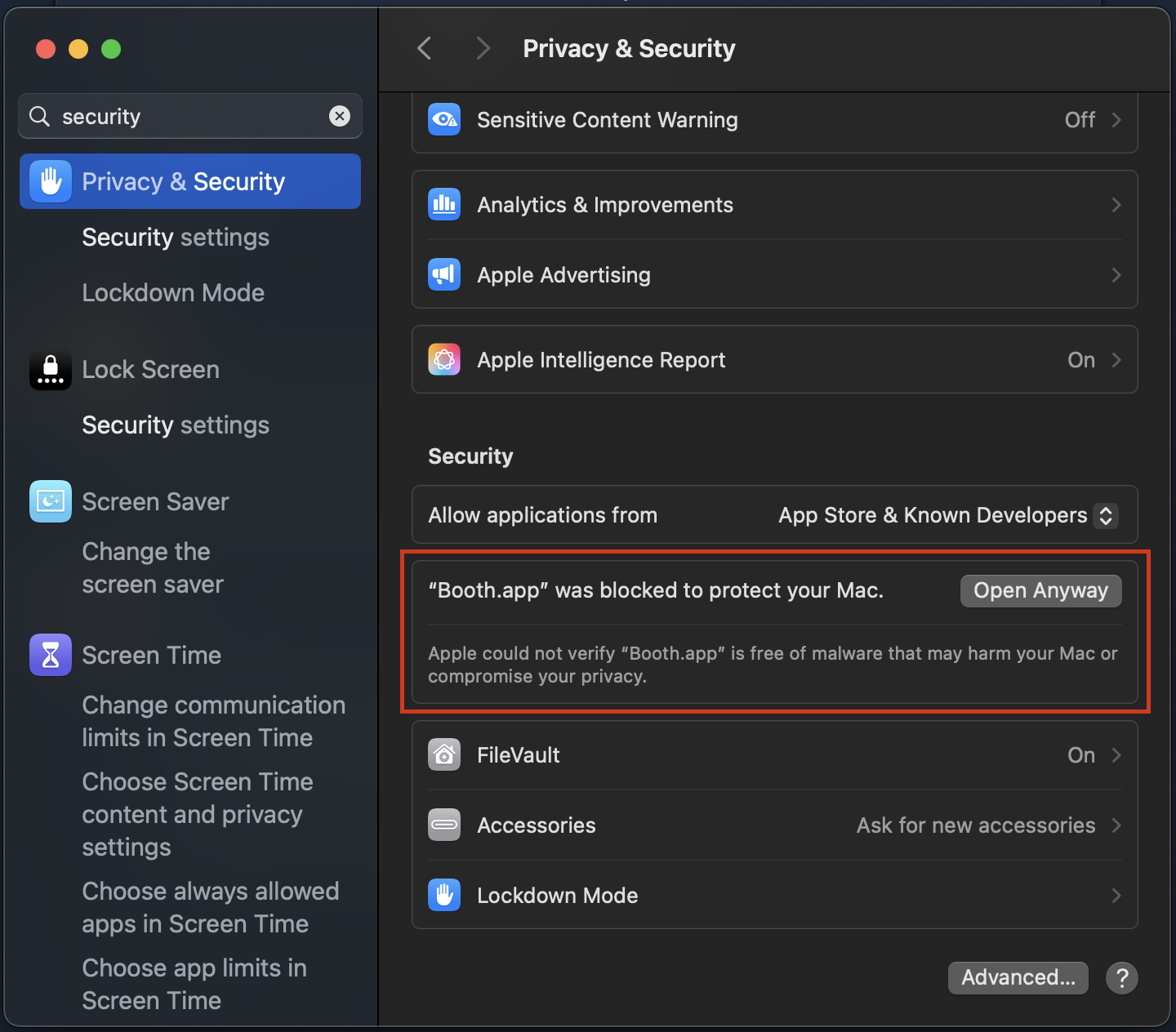
2. Open your Mac's "System Settings" and find the "Privacy & Security" tab. Inside it you can find a section appeared talking about "Booth" (like the image below).
3. Click "Open Anyway" and "Booth" should run successfully from now on.
Hope this helps!
Love from Iden,
GP